
Distinctful logo - MCP Servers AI tool

Distinctful

MCP ServerSubscription

Distinctful connects AI clients to social media content planning and publishing through a hosted MCP server. Clients can work with connected accounts, drafts, scheduled posts, performance information, and saved ideas.

Last updated:

  • Official. Built and maintained by the company or project behind the service, so usually kept in step with it. Not audited by us.

  • Community. Built and maintained by an independent developer or group, not by the company behind the service. The company has not reviewed it, and updates depend on its author.

Maintainer not verified: We have not confirmed who maintains this server. Treat it like a community server until you have checked.

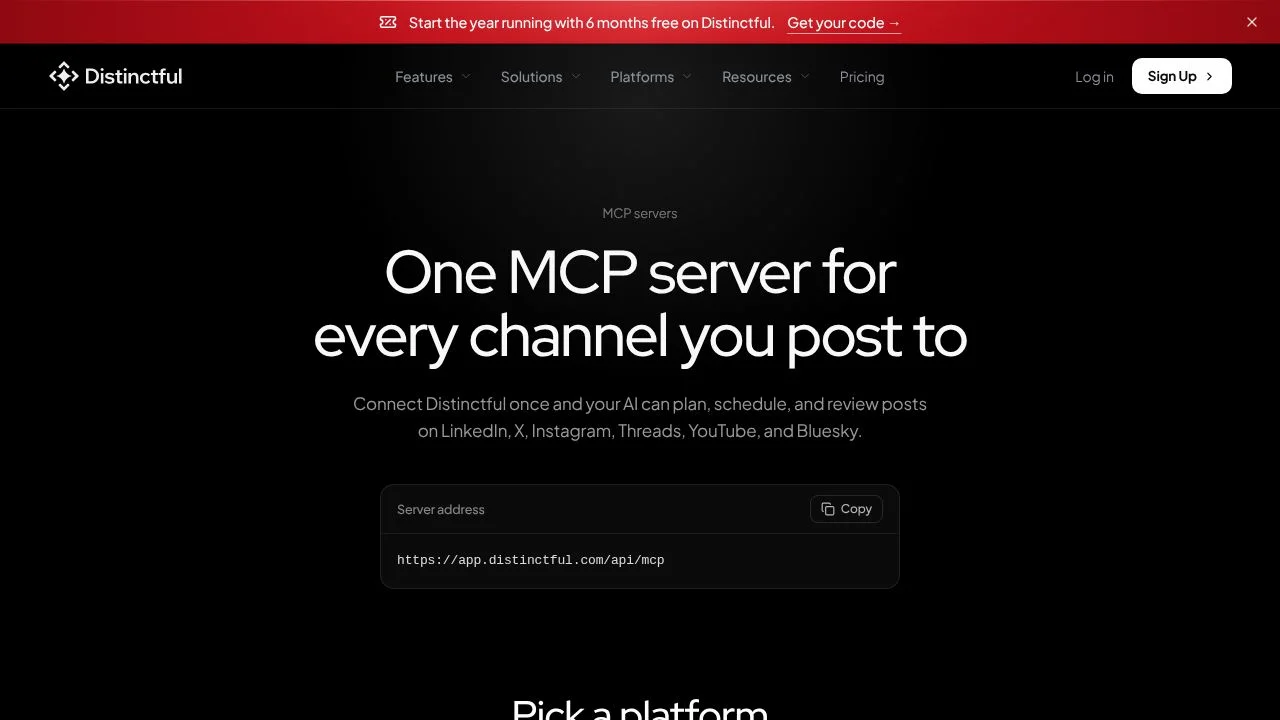
Distinctful screenshot - MCP Servers interface and features overview

About Distinctful

Distinctful connects compatible AI clients to social media planning and publishing through a hosted remote MCP server. It is for people who want to work with connected social accounts and content tasks from an MCP client, rather than handling each supported action separately in the platform. The connection uses Streamable HTTP and OAuth sign-in with consent, so an API key is not required. Its documented actions cover content strategy, drafts, scheduling, publishing, post information, uploads, and saved ideas.

What can Distinctful do?

A connected client can read content strategy, list posts and connected accounts, and inspect post performance and calendar information. It can also create or edit drafts, plan multiple drafts, or plan a post for approval. These actions let a user prepare and review social content through the connected client.

  • Schedule posts, publish them immediately, or cancel scheduled posts.
  • Start and finish video and image uploads.
  • Save ideas, organize them with folders and tags, and restore items from Recently Deleted.
  • Connect social channels including LinkedIn, X, Instagram, Threads, YouTube, and Bluesky.

The server is hosted at the documented MCP endpoint. Connection requires a client that supports remote servers over Streamable HTTP. OAuth provides sign-in and consent; the setup documentation says no API key is needed.

Who is Distinctful best for?

Distinctful is intended for people who already use a compatible AI client and want that client to work with their connected social channels. Its documented functions suit teams or individuals preparing drafts, planning content, checking post performance or calendar details, and scheduling or publishing posts. It can also fit workflows that include uploading media and collecting ideas for later use. Anyone considering it should first check that their client supports remote servers over Streamable HTTP.

Distinctful pricing in brief

Distinctful lists paid subscription plans, and MCP access is included on the Grow plan and higher. The verified pricing page also presents annual offers, while the listed monthly prices appear separately. The applicable amount can depend on the billing selection or offer eligibility, so check the official pricing page for the terms that apply before choosing a plan.

Limitations to know about Distinctful

The MCP connection depends on a client that supports remote servers over Streamable HTTP. MCP access is documented for Grow and higher, and the checked page does not document a free plan with MCP access. Session refresh also depends on the client: supported clients refresh automatically, while others may request authorization again after an hour. The available information does not establish additional limits for the listed actions or channels.

Alternatives to Distinctful

For social media workflows, Taplio is another directory-listed option to compare for LinkedIn content planning, while Canva may suit users focused on making visual assets for posts. These tools are alternatives to consider, not verified substitutes for Distinctful's MCP connection or its documented social publishing actions. Compare their current capabilities and requirements before choosing one.

Key Features

Hosted MCP server connects through compatible clients using Streamable HTTP.

OAuth sign-in and consent, with no API key required.

Connects LinkedIn, X, Instagram, Threads, YouTube, and Bluesky.

Read content strategy, posts, post performance, calendar details, and connected accounts.

Create and edit drafts, plan multiple drafts, or submit a post for approval.

Schedule posts, publish immediately, or cancel scheduled posts.

Start and finish video and image uploads.

Save ideas, sort them with folders and tags, and restore recently deleted items.

Before you installSecurity checklist for MCP servers

An MCP server runs code and gives your AI assistant access to files, accounts or data. A few minutes of checking is worth it.

  1. Check the source. Make sure the repository belongs to the vendor or author you expect, that the vendor's own documentation links to it, and that it is actively maintained. Beware of lookalike names.
  2. Read what it can do. Look at the tools the server exposes and the permissions or scopes it asks for. Start with read-only access where the server allows it.
  3. Use the least access that works. Give it a dedicated API key or a narrowly scoped token, ideally on a test project or sandbox, not your production credentials.
  4. Pin versions and review updates. Install a specific version, read changes before upgrading, and do not run copied commands you do not understand.
  5. Treat what it returns as untrusted. Documents, web pages and tool results can contain text that tries to steer your AI assistant. Keep confirmation switched on for actions that write, delete, send or spend.
  6. Know where your data goes. Find out whether the server runs on your machine or is hosted, and what it sends to the vendor or to third parties.
  7. Keep a way back. Know how to revoke the key and remove the server from your client's configuration.

This page is general information, not security or legal advice, and listing a server is not an endorsement or a security review. We do not create, host or control MCP servers, and listing details such as commands, permissions or pricing can be out of date, so check the official source. You install and use MCP servers at your own risk. See the section on third-party products in our Terms of Service.

Pricing Plans

Grow

$39 /month

  • MCP access is included.
  • Use connected social channels and supported content, planning, and publishing actions.
  • The connection requires a compatible client that supports remote servers over Streamable HTTP.
  • Suitable for users who need MCP access on the Grow plan.

Scale

$79 /month

  • MCP access is included.
  • Use connected social channels and supported content, planning, and publishing actions.
  • The connection requires a compatible client that supports remote servers over Streamable HTTP.
  • Suitable for users who need MCP access on the Scale plan.

Pricing information last updated: November 15, 2026

FAQs

How does an AI client connect to Distinctful?

Distinctful provides a hosted remote MCP server. Connect using a client that supports remote servers over Streamable HTTP, then sign in and grant consent through OAuth. An API key is not required.

What can a connected client do?

It can read content strategy, list posts and connected accounts, inspect post performance and the calendar, create or edit drafts, plan drafts or posts for approval, schedule or publish posts, and manage ideas.

Which social channels can Distinctful connect?

The listed channels are LinkedIn, X, Instagram, Threads, YouTube, and Bluesky.

Does MCP access have a free plan?

The verified page states that MCP access is included on Grow and higher. It does not document a free plan with MCP access.

Will I need to authorize the connection again?

Clients that support automatic session refresh can refresh sessions automatically. Other clients may ask you to authorize again after an hour.