
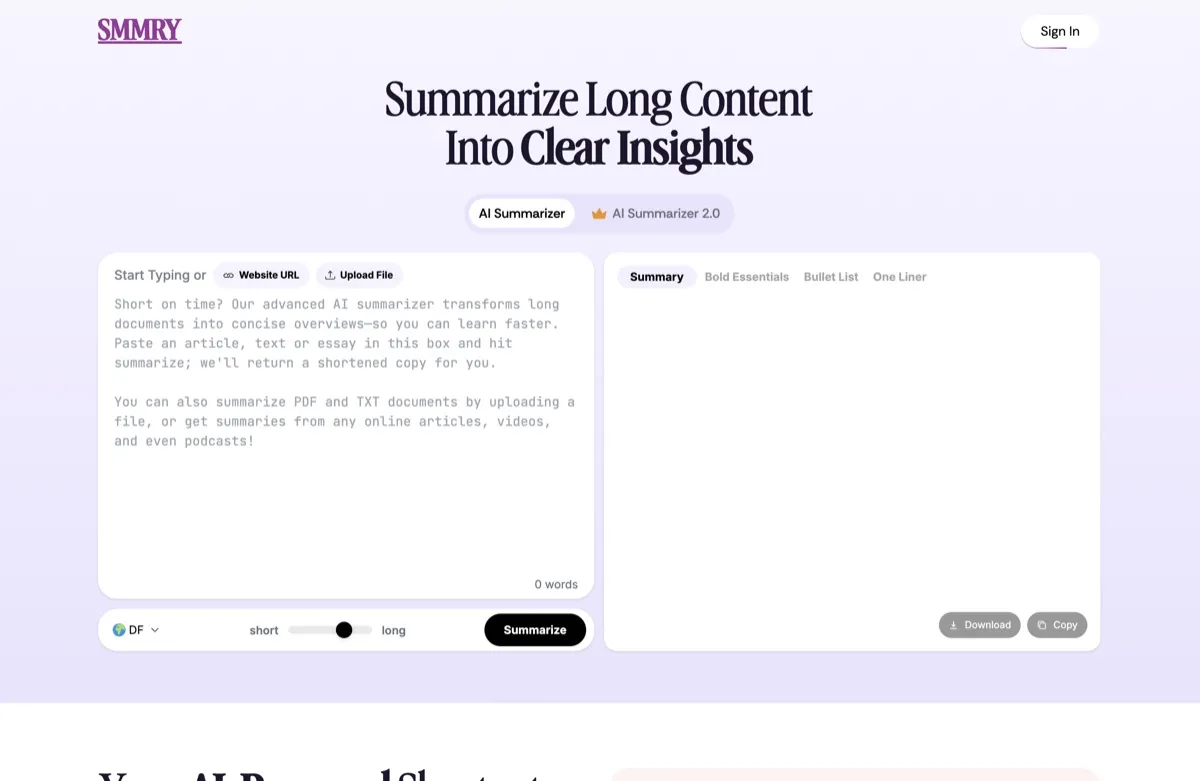
SMMRY is a text summarization tool for people who need to get through articles, books, website pages, or other submitted text with less reading. You can paste text, enter a website URL, or upload a PDF or TXT file on the homepage. The tool offers different summary lengths and output formats, so readers can choose a compact passage, a list of points, or another view of the source. Its API also accepts text, web URLs, and PDF content for integrations.
The service has a free plan, paid plans for more frequent use, and a credit based API option. The official pages describe the available inputs and outputs, but do not establish every operational limit, such as exact file size limits. The details below stick to the capabilities and terms stated on those pages.
What can SMMRY do?
SMMRY provides two summarizer modes, labeled AI Summarizer and AI Summarizer 2.0 on its homepage. Users can adjust summary length and select an output style. The listed choices include a standard summary, bold essentials, a bullet list, a one liner, and a mind map. These controls help readers choose how they want the source information presented.
For developers, the API accepts raw text, a web URL, or base64 encoded PDF content. API requests can include a sentence count and language, and can exclude questions, exclamations, or quotations from the summary. The API page also describes credit based usage. Those request options are separate from the homepage output controls, so check the API documentation when planning an integration.
- Summarize pasted text, website URLs, and uploaded PDF or TXT files.
- Adjust summary length and select from the listed text and visual output formats.
- Submit text, URLs, or base64 encoded PDF content through the API.
- Set API sentence count and language, or exclude questions, exclamations, and quotations.
Who is SMMRY best for?
SMMRY may suit readers who want a shorter version of an article, book, or web page, and who prefer to choose between a paragraph, bullets, or a one liner. The personal library and YouTube insights are listed with Essential, while Advanced adds podcast highlights and mind maps. Developers evaluating an integration can use the API's documented input types and request options. Choose a plan based on the listed summary allowance and content features you need.
SMMRY pricing in brief
SMMRY has a free option, paid plans with higher summary allowances or additional content features, and a separate API option charged by credits. The API page says credits do not expire and that volume discounts are available. Its credit based model has no monthly subscription. Consult the official pricing and API pages for the current plan details and usage terms before deciding which option fits your needs.
Limitations to know about SMMRY
The official pages supplied here do not state exact text or file size limits for the homepage, nor do they specify API credit package sizes. The API page includes a FAQ mentioning developer, professional, and enterprise rate limits, but the verified information does not reconcile those references with the credit pricing. Check the current API terms if rate limits or package details affect your use. The verified pages also do not establish which model providers power the summarizer.
Alternatives to SMMRY
For related tools listed on this site, Paperpal is an alternative to consider when the task involves academic writing support, while Thesify is another option to compare for academic writing assistance. These tools are not described here as direct replacements for SMMRY's summarization controls. Review each listing to check whether its current features match the particular reading or writing task you have.


