AI Halloween Costume turns an uploaded photo into a costume portrait using a look selected from its preset collection. It is for people who want a themed portrait of themselves, another consenting person, a child with appropriate permission, or a dog or cat. Instead of assembling a costume and arranging a themed photo, users choose a look and submit a photo for image creation.
The browser-based service works on a phone or computer, and generated results can be downloaded. An account is required. Before uploading, users should make sure they have the rights and any necessary consent for the photo, and should review the service’s limits and retention policy.
What can AI Halloween Costume do?
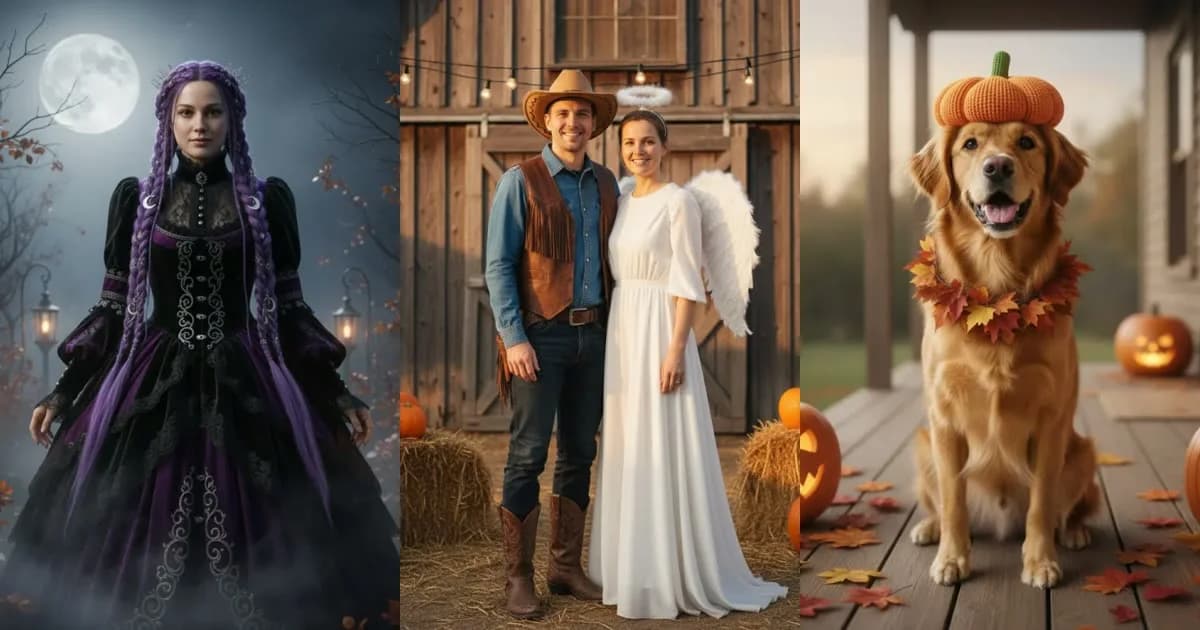
The service creates a portrait from an uploaded photo and a selected look. It supports photos of one person, two people, a child, or a dog or cat. Its collection has 12 preset looks, with examples including vampire, cowboy, angel, pumpkin pet, witch, skeleton makeup, robot, and cosmic princess.
Users can view the prompt behind each look, then download generated results. The site describes the tool as browser-based, so it can be used on a phone or computer. Each look uses one credit; a new account gets one free look after sign-in.
- Choose from 12 preset costume looks.
- Submit a photo featuring one person, two people, a child, a dog, or a cat.
- View the prompt behind a selected look.
- Download the generated portrait.
Who is AI Halloween Costume best for?
It may suit individuals, families, or groups looking for themed portraits, as well as pet owners who want a costume-style image of a dog or cat. The preset approach is for people who want to select a look rather than begin with a blank prompt. Users should upload only photos they have rights to use. Other people’s photos require consent, and children’s photos require parent or guardian consent.
AI Halloween Costume pricing in brief
The service offers a free look for each new account after sign-in, plus paid packs of credits. Purchases are one-time payments rather than subscriptions, and credits do not expire. Each generated look uses one credit. The pricing page states that amounts are in USD; review its current plan details before purchasing.
Limitations to know about AI Halloween Costume
An account is required, and users must be at least 13; users under 18 need parent or guardian permission. New accounts without paid credits can make up to four tries per day. Site-wide daily capacity may also pause generations, and failed tries count toward the daily limit. Results are stored for 30 days and then deleted, so download images you want to keep. Uploaded photos are sent to an AI processing partner; the privacy policy says the service does not store them after image creation. The partner is not named in that policy. The terms also prohibit sexual or nude content of anyone, sexualization of minors, impersonation, and deceptive real-event imagery.
Alternatives to AI Halloween Costume
Midjourney is an alternative to consider for creating AI-generated images from prompts, while Adobe Firefly is another image-generation option. Photoroom is relevant for people comparing tools for photo editing. These services may differ in workflow and capabilities; compare their current features and terms with this tool’s photo-to-costume-portrait and preset-look approach before choosing.


