
Microsoft Copilot logo - Productivity AI tool

Microsoft Copilot

AI ToolFreemium

Microsoft Copilot is an AI assistant for chat, writing, brainstorming, summarizing, and web-grounded answers. Depending on the plan and eligibility, it can also assist in Microsoft 365 apps and business workflows using work data.

Last updated:

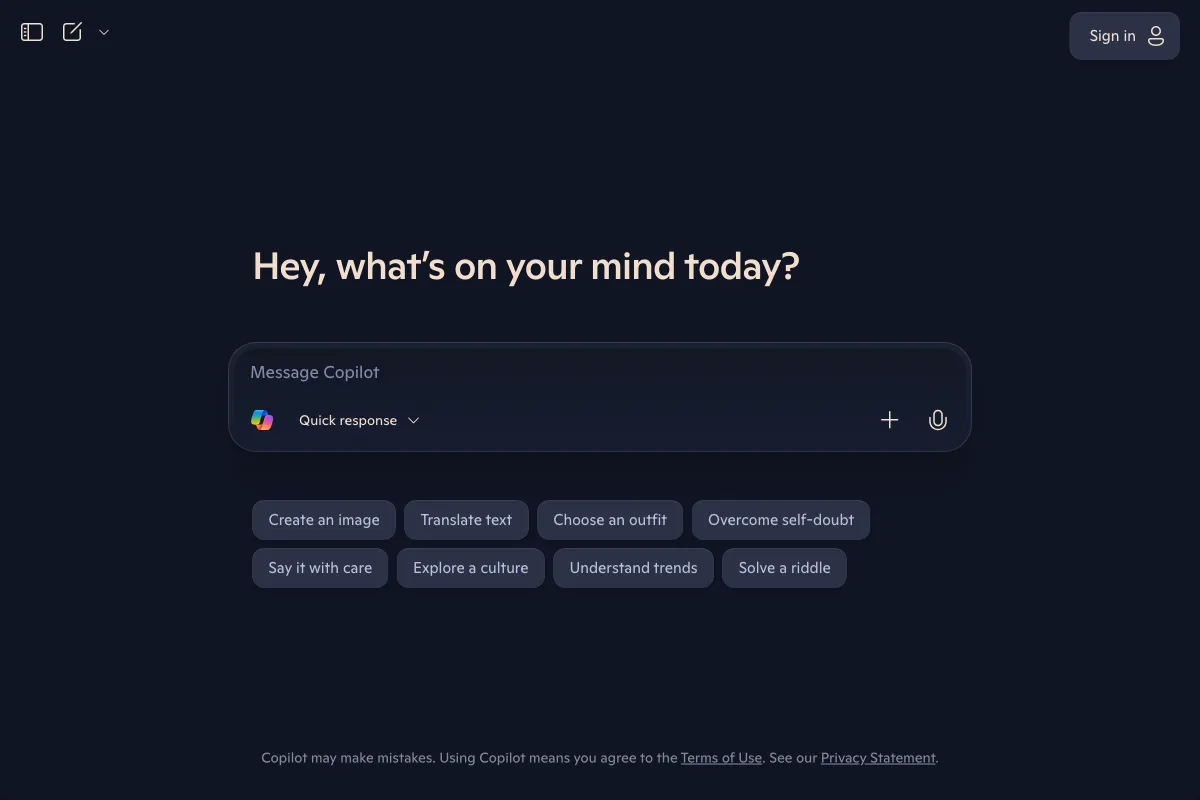
Microsoft Copilot screenshot - Productivity interface and features overview

About Microsoft Copilot

Microsoft Copilot is an AI assistant for people who want help writing, brainstorming, summarizing information, and getting answers grounded in the web. Its free experience offers chat and Edge webpage summaries, while signing in enables additional chat features. People with eligible Microsoft 365 subscriptions can also use Copilot in desktop apps, and business licenses can add answers grounded in organizational information. The exact capabilities and usage limits depend on the plan and, for business, on eligibility and configuration.

That makes Copilot a collection of related consumer and business experiences rather than one uniform set of features. It can help with everyday questions and content tasks, while qualifying subscriptions connect some assistance to Microsoft 365 apps or work data. Choosing a plan requires checking which features are included for the intended account.

What can Microsoft Copilot do?

In the free experience, Copilot supports chat for writing, brainstorming, and summarizing, provides web-grounded answers, and can summarize webpages in Edge. Signing in enables chat history, image creation, longer conversations, and voice interactions. Free and paid features and usage limits are not identical.

Eligible individual subscriptions provide Copilot in desktop Word, Excel, PowerPoint, and Outlook. Business Copilot Chat can answer questions, research, summarize documents and webpages, and create images. A Microsoft Copilot business license can ground answers in organizational files, email, chats, and people, and adds Researcher and Analyst agents and Teams meeting summaries where available.

  • Use free chat for writing, brainstorming, and summarizing.
  • Ask web-grounded questions or summarize a webpage in Edge.
  • Use Copilot in desktop Microsoft 365 apps when the subscription includes it.
  • With a business license, ask questions grounded in organizational information.
  • Upload Word, Excel, PowerPoint, image, or PDF files in the mobile app for questions and summaries.

Who is Microsoft Copilot best for?

Copilot may suit individuals who want chat assistance for writing and information summaries, with optional Microsoft 365 app access through eligible subscriptions. A subscription owner choosing the Family plan should note that the AI benefits are restricted to that owner, even when the subscription is shared. Organizations considering business capabilities should check the license, tenant configuration, market, and language requirements, and confirm which users need access to work->Notion is a workspace alternative, while Miro offers a visual collaboration alternative. The verified facts here do not establish their specific features, so compare their current product details separately before choosing between them and Microsoft Copilot.

Visit Website

Disclosure: Some links are affiliate links. We may earn a commission. Learn more.

Key Features

Free chat for writing, brainstorming, summarizing, and web-grounded answers.

Summarize webpages in Microsoft Edge.

Signed-in free users can access chat history, image creation, longer conversations, and voice interactions.

Eligible Microsoft 365 subscriptions provide Copilot in desktop apps, subject to plan and usage limits.

Business Copilot Chat can answer questions, research, summarize documents and webpages, and create images.

A business Copilot license can ground answers in organizational files, email, chats, and people.

Business license capabilities include Researcher and Analyst agents and, where available, Teams meeting summaries.

The mobile app supports questions and summaries about uploaded Word, Excel, PowerPoint, image, and PDF files.

Pricing Plans

Free

Free

  • Chat for writing, brainstorming, and summarizing, with web-grounded answers.
  • Summarize webpages in Edge.
  • Signing in enables chat history, image creation, longer conversations, and voice interactions.
  • Usage and available features differ from eligible paid subscriptions.

Microsoft 365 Personal

$9.99 /month

  • For one person, on up to five devices.
  • Includes 1 TB secure cloud storage.
  • Includes desktop Word, Excel, PowerPoint, and Outlook with Copilot.
  • Provides higher Copilot usage than the free experience.

Microsoft 365 Family

$12.99 /month

  • For one to six people, with up to five devices per person.
  • Includes 2 TB shared cloud storage and Microsoft 365 apps with Copilot.
  • AI features are for the subscription owner only, not every person sharing the subscription.
  • Provides higher AI usage than the free experience.

Microsoft 365 Premium

$19.99 /month

  • For one to six people; AI features are for the subscription owner.
  • Includes extensive Copilot chat, visual assistance, and AI-generated audio usage.
  • Includes Premium-exclusive Copilot features and limited agentic AI for research and analytics.
  • Consider it for an individual subscription owner seeking these additional AI capabilities.

Microsoft 365 Pro

$99.99 /month

  • For one to six people; AI features are for the subscription owner.
  • Includes Microsoft 365 apps with Copilot and 5 TB shared cloud storage.
  • Provides the highest Copilot usage and highest usage for agentic AI among the listed individual plans.
  • Monthly billing only.

Microsoft 365 Business Standard with Copilot

$23.50 user/month, paid yearly

  • Copilot in Word, Excel, PowerPoint, Outlook, and Teams.
  • AI chat grounded in work data, plus reasoning AI for research and analysis.
  • Supports up to 300 users, with desktop, web, and mobile apps.
  • Includes 1 TB cloud storage per user.

Microsoft 365 Business Premium with Copilot

$32.00 user/month, paid yearly

  • Copilot in Word, Excel, PowerPoint, Outlook, and Teams.
  • Work-data-grounded AI chat and research and data-analysis agents.
  • Supports up to 300 users.
  • Includes advanced identity and access management, security, and sensitive-data protection.

Microsoft 365 Copilot Business

Originally starting from $21.00 now starting from $18.00 user/month, paid yearly

  • Business Copilot add-on for existing customers with an eligible Business plan.
  • Includes AI chat grounded in work data and Copilot in Microsoft 365 apps.
  • Requires an annual commitment.
  • The listed first-year promotion applies July 1–December 31, 2026.

Pricing information last updated: October 26, 2026

Visit Website

Disclosure: Some links are affiliate links. We may earn a commission. Learn more.

FAQs

What can I do with free Microsoft Copilot?

Free Copilot supports chat for writing, brainstorming, and summarizing, web-grounded answers, and Edge webpage summaries. Signing in enables chat history, image creation, longer conversations, and voice interactions.

Do all Microsoft 365 Family members get Copilot AI benefits?

No. The plan is for one to six people, but its AI features are for the subscription owner only.

Does Microsoft Copilot work inside Microsoft 365 apps?

That depends on the subscription and license. Verified individual plans include Copilot in desktop apps; listed business plans include it in Word, Excel, PowerPoint, Outlook, and Teams.

Can business Copilot use organizational information?

A Microsoft Copilot business license can ground answers in organizational files, email, chats, and people. Business features also depend on license, tenant configuration, market, and language.

Are Copilot features and usage the same on every plan?

No. Feature availability and usage limits vary by plan, and some capabilities require eligible subscriptions. Some advanced business AI features have usage-based billing.