
Mubert logo - Music & Audio AI tool

Mubert

AI ToolFreemium

Mubert provides AI music generation and audio tools for video creators, podcasters, musicians, and app developers. Its products create soundtracks, score video clips, edit podcast recordings, and check songs for likely Content ID claims.

Last updated:

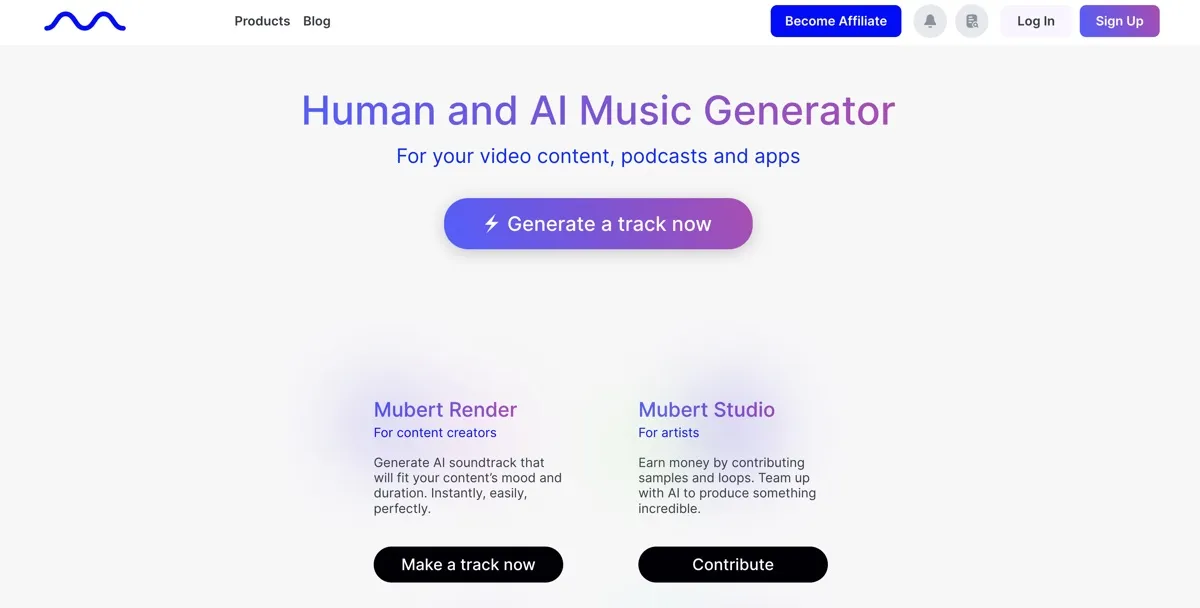
Mubert screenshot - Music & Audio interface and features overview

About Mubert

Mubert is a set of music and audio tools for video creators, podcasters, musicians, and app developers. It addresses several production tasks that otherwise require separate workflows: making soundtrack music for a project, fitting music to a video, editing spoken audio, or checking a song for a likely Content ID claim. The products differ in what they handle, so the right choice depends on whether you need original music, podcast editing, or tools for an app.

Render focuses on original AI music for video, podcast, stream, and app soundtracks. Fuse works with an uploaded video clip, while Cast is built around podcast recordings and transcripts.

What can Mubert do?

With Render, users can make music tailored to a desired mood and duration. Chat2Music lets them describe a track and refine it through conversation. Render Pro and Business include a Track Editor for adjustments to structure, stems, duration, BPM, and key. Quick Remix can regenerate or remove drums, bass, lead, or effects while retaining the rest of a track.

Fuse scores an uploaded clip with music matched to its length and mood, and can add voiceover, sound effects, and subtitles. Cast lets podcasters clean voice audio, find fillers and pauses, and make transcript based cuts or mutes. It can also generate episode music, intros, and outros, then lower music under speech. Mubert also offers a Music API through a demo or request flow, a Copyright Checker that estimates the likelihood of a Content ID claim, and Studio, where musicians can contribute samples and loops and earn from their use in AI generated music.

  • Use Render to create original soundtrack music for video, podcasts, streams, or apps.
  • Use the Track Editor or Quick Remix for supported music changes.
  • Use Fuse to score an uploaded video and add production elements.
  • Use Cast to edit spoken audio and prepare podcast music.
  • Use the Copyright Checker to estimate claim risk for an existing song.

Who is Mubert best for?

Mubert suits creators who need music for video, podcasts, streams, or apps, and podcasters who want transcript based audio editing in the same service as episode music. Fuse is relevant when the starting point is a video clip that needs a matched score and other production elements. Musicians interested in contributing samples and loops can look at Studio. App developers and enterprise customers can request information about the Music API. These are distinct workflows, so compare the product capabilities before choosing.

Mubert pricing in brief

Mubert has free and paid options for both Render and Cast. The plans differ in track or credit allowances, upload limits, export formats, editing tools, and music licensing. The Music API is presented through a demo or request flow, rather than a published price on the opened pricing page.

Limitations to know about Mubert

Commercial rights depend on the product and plan. Render Ambassador and Creator are for non-commercial use, while Pro and Business allow commercial usage under their stated terms. Cast Free and Lite do not include a commercial music license; Plus and Max include a creator commercial license. Cast Free does not export stems, and neither does Cast Plus. Render Ambassador has fixed track duration and five downloads per month. The opened pricing page does not state a Music API price, so app developers need to request details.

Alternatives to Mubert

The right alternative depends on whether you need music generation or a broader audio tool. AI Music Generator is another option to compare for AI music creation. AIVA is another music generation service to consider. For a different workflow, Artlist is an alternative to compare for music used in creative projects. Check each product's current features and licensing terms against your intended use.

Visit Website

Disclosure: Some links are affiliate links. We may earn a commission. Learn more.

Key Features

Render creates original soundtrack music for videos, podcasts, streams, and apps, tailored to mood and duration.

Chat2Music lets users describe a track and refine it in a conversation.

Render Pro and Business include a Track Editor for changing structure, stems, duration, BPM, and key.

Quick Remix can regenerate or remove drums, bass, lead, or effects while retaining the rest of a track.

Fuse scores uploaded video clips with music matched to length and mood, and can add voiceover, effects, and subtitles.

Cast edits podcast recordings through transcripts, cleans voice audio, detects fillers and pauses, and supports transcript based cuts or mutes.

Cast can create episode music, intros, and outros, and lower music under speech.

The Music API is offered to app developers and enterprise through a demo or request flow.

Copyright Checker estimates whether a song is likely to receive a Content ID claim and suggests alternatives.

Pricing Plans

Render Ambassador

Free

  • Includes 25 tracks per month and up to 30 minutes of use per day.
  • Tracks have fixed duration and download as MP3.
  • Includes five downloads per month.
  • For non-commercial use.

Render Creator

$14 / month; $11.69 / month billed annually

  • Includes 500 tracks per month, with tracks up to 25 minutes.
  • Downloads are lossless, with unlimited downloads.
  • Includes stem and duration editing.
  • For non-commercial use.

Render Pro

$39 / month; $32.49 / month billed annually

  • Includes 500 tracks per month, with tracks up to 25 minutes.
  • Downloads are lossless, with unlimited downloads.
  • Includes the full Track Editor.
  • Allows commercial usage.

Render Business

$199 / month; $149.29 / month billed annually

  • Includes 1,000 tracks per month, with tracks up to 25 minutes.
  • Downloads are lossless, with unlimited downloads.
  • Includes the full Track Editor.
  • Allows commercial usage for apps and agency work.

Cast Free

$0/mo

  • Includes 100 credits and 60 minutes of uploads per month.
  • Exports unlimited standard quality MP3 files at 128k.
  • Does not include a commercial music license.
  • Does not include stems export.

Cast Lite

$9.99/mo

  • Includes 700 credits and 10 hours of uploads per month.
  • Exports MP3 files at 320k.
  • Supports files up to two hours or one gigabyte.
  • Does not include a commercial music license.

Cast Plus

$29.74/mo

  • Includes 2,750 credits and 25 hours of uploads per month.
  • Exports lossless WAV or FLAC files.
  • Includes a creator commercial license.
  • Does not include stems export.

Cast Max

$59.99/mo

  • Includes 6,500 credits and unlimited uploads.
  • Exports broadcast grade EBU R128 audio.
  • Includes a creator commercial license and stems export.
  • Exports vocal, music, and sound effects stems separately.

Pricing information last updated: November 7, 2026

Visit Website

Disclosure: Some links are affiliate links. We may earn a commission. Learn more.

FAQs

Can I use Render music commercially?

Render Pro and Render Business allow commercial usage. Render Ambassador and Render Creator are listed for non-commercial use.

What can I change in the Render Track Editor?

The Track Editor can change a track's structure, stems, duration, BPM, and key. It is included with Render Pro and Render Business.

What does Cast do with a podcast recording?

Cast edits recordings through a transcript, cleans voice audio, detects fillers and pauses, and supports transcript based cuts or mutes. It can also generate episode music, intros, and outros.

Which Cast plans include commercial music licensing?

Cast Plus includes a creator commercial license. Cast Max includes a creator commercial license. Cast Free and Cast Lite do not include a commercial music license.

Does Mubert publish a Music API price?

The official page presents Music API access for app developers and enterprise through a demo or request flow. No API price was verified on the opened pricing page.