
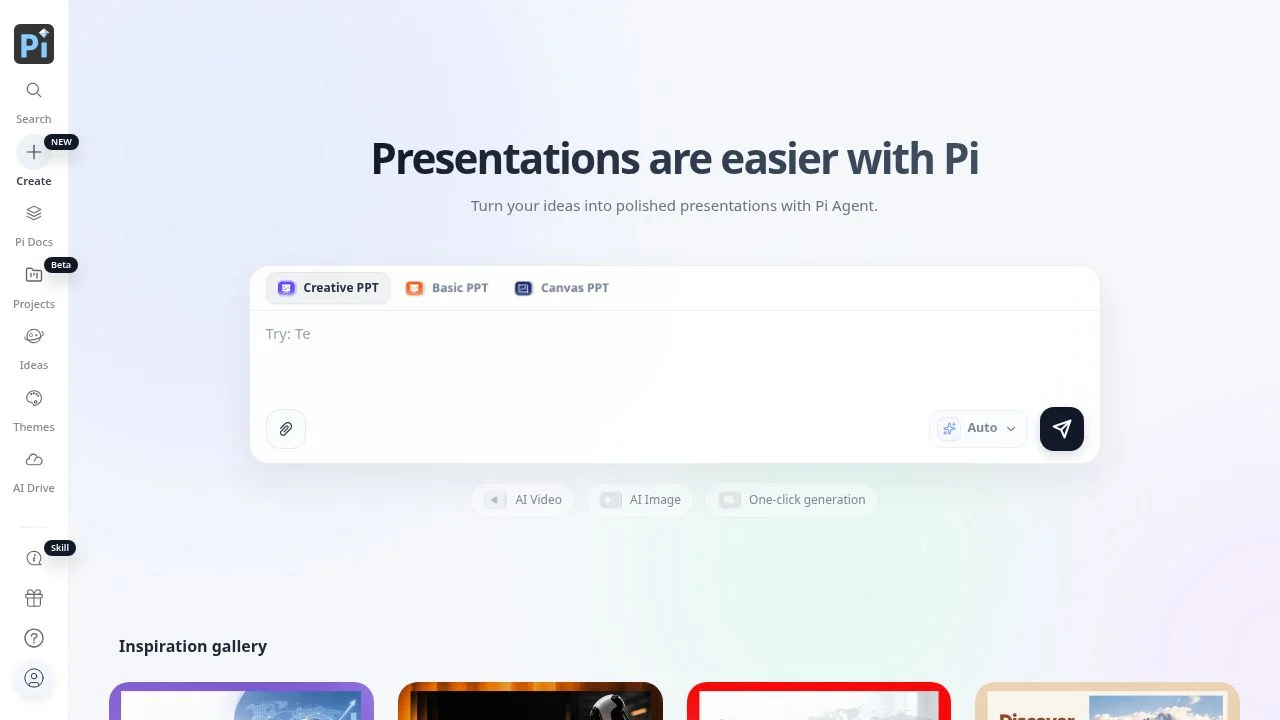
Presentation Intelligence creates presentations from prompts and uploaded documents, including text, PDF, PPT, Word, and webpages. It is for people who need to turn source material into a structured presentation and shape the visual result without assembling every slide from scratch. Its design engine coordinates layout, style, imagery, typography, and composition, while its presentation framework adapts content across lengths, spaces, devices, formats, and media. The aim is to support both presentation creation and the work of sharing and refining a deck.
What can Presentation Intelligence do?
Users can choose among Basic PPT, Creative PPT, and Canvas PPT modes. The design engine coordinates visual elements, and users can create personalized themes. The official comparison also lists document import for outline generation and PPT import for insights.
- Generate presentations from prompts or uploaded text, PDF, PPT, Word, and webpage documents.
- Adapt presentations across lengths, spaces, devices, formats, and media.
- Export to PPT or PDF, share a live link, and collaborate through real-time co-editing, comments, and annotations.
- Use Agent Mode to search web sources through Tavily and display clickable source links for claims.
These capabilities cover drafting from source material, choosing a presentation mode, and sharing or editing the resulting work. AI-generated content is not guaranteed to be accurate or complete, so readers should check important claims against appropriate sources.
Who is Presentation Intelligence best for?
Presentation Intelligence may suit people who regularly turn written material or prompts into slide presentations, including users who want to import existing documents, develop outlines, or gain insights from PPT files. Its listed export and collaboration options may also fit people who need to share a live link or work on a presentation with others. Those who need a confirmed set of team controls should ask support about advanced team features, which the pricing FAQ says require contacting support.
Presentation Intelligence pricing in brief
The offering has a free option and paid plans with annual prices. The free option includes a welcome points bonus, but presentations require membership to export. The verified pricing information does not specify plan-by-plan allowances or feature differences, so buyers should confirm what each paid plan includes before selecting one.
Limitations to know about Presentation Intelligence
Free-plan presentations cannot be exported without membership. Advanced team features require contacting support, and the pricing FAQ does not detail those features. The User Agreement says AI-generated content may be inaccurate or incomplete and should not replace qualified professional advice. The Privacy Policy says personal information may be stored outside the user's country, on servers in the United States and/or Singapore. Review the policy and verify consequential presentation claims before relying on them.
Alternatives to Presentation Intelligence
Canva is another option to consider for creating visual presentations, while Pitch offers an alternative presentation-focused tool. Both are listed here as comparable options for readers weighing presentation workflows. Compare their current features, collaboration needs, and pricing directly before choosing; the verified facts in this listing establish Presentation Intelligence’s capabilities and do not make claims about the alternatives’ current plans or feature sets.


