
VoiceBrief logo - Education & Learning AI tool

VoiceBrief

AI ToolFreemium

VoiceBrief reads documents aloud while highlighting each word, and offers document-based explanations and study tools. It supports common document files, images, pasted text, and public web pages.

Last updated:

VoiceBrief screenshot - Education & Learning interface and features overview

About VoiceBrief

VoiceBrief turns documents into material people can listen to and study. It is for readers working with files, pasted text, or public web pages who want to follow the text aloud, revisit selected sections, or make study aids from the same source. Rather than treating listening, explanations, and review as separate tasks, it brings them together around an uploaded document. That can help when someone wants an alternative way to work through reading or to organize a document for review.

What can VoiceBrief do?

During word-for-word playback, VoiceBrief highlights each word as it is read. Users can change the voice and speed, and the site states a range from 0.5x to 3x. Listening position is saved, and a queue can hold documents for reading across files. Pro also includes downloadable MP3 audio for offline listening.

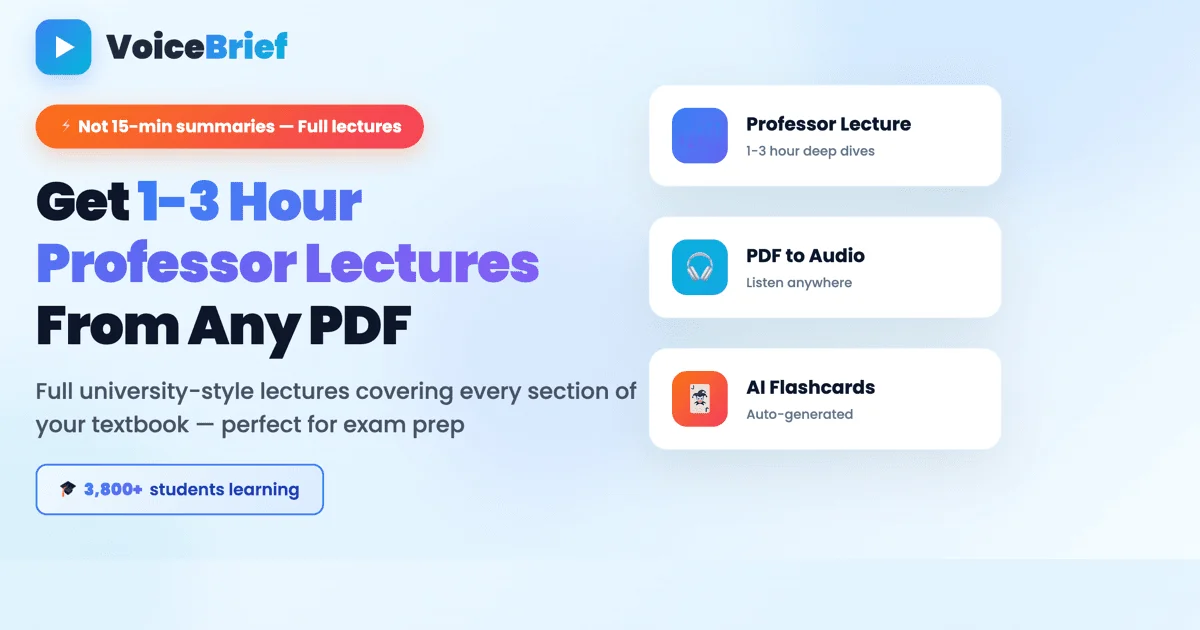
Other tools work from the same document. Professor mode explains a selected section separately, while document chat, summaries, notes, quizzes, and flashcards provide ways to revisit its content. Supported inputs include PDFs, Word and PowerPoint files, DRM-free EPUBs, images, pasted text, and public web pages. Scanned pages can be processed with text recognition.

  • Follow word-for-word audio with each word highlighted during playback.
  • Ask for a separate explanation of a selected section in Professor mode.
  • Create notes, quizzes, flashcards, summaries, and document chat answers.
  • Save a listening position and queue documents for playback.

Who is VoiceBrief best for?

VoiceBrief may suit people who want to listen through documents, study from a source file, or make review materials without switching away from that document. It accepts several common file types as well as images, pasted text, and public web pages, so it can support different reading inputs. The choice depends on whether its playback and document-based study tools fit the reader’s workflow and whether the plan’s allowances cover their use.

VoiceBrief pricing in brief

VoiceBrief has a free version and paid Pro options. The free version has fixed document, listening, scanned-page, and AI-action allowances. Pro adds larger monthly allowances, voice tutor time, and downloadable MP3 audio. Compare the listed limits with expected use before choosing, since usage allowances apply.

Limitations to know about VoiceBrief

Files are limited to 20 MB, and Pro documents are limited to 500 pages each. Free use is restricted to one document and its stated allowances; paid use also has monthly caps on listening, Professor mode, voice tutor, scanned pages, and AI actions. Read-aloud may skip tables, figures, page numbers, running headers, reference lists, and citation markers, while ambiguous citations may be spoken. AI-generated explanations and study materials can miss or misstate details, so check the original when accuracy matters. Voice pronunciation may vary by language and subject; the site advises trying a passage first.

Alternatives to VoiceBrief

For other ways to work with information or create and review written material, consider Google NotebookLM, for a document-oriented comparison; ChatGPT, for a general conversational tool comparison; or Perplexity AI, for another tool to compare when exploring questions. These are directory alternatives, not claims that their features match VoiceBrief’s playback or allowances.

Visit Website

Disclosure: Some links are affiliate links. We may earn a commission. Learn more.

Key Features

Reads document text aloud word for word and highlights each word during playback.

Explains selected sections in a separate Professor mode.

Creates summaries, notes, quizzes, flashcards, and document chat from an uploaded document.

Supports PDFs, Word and PowerPoint files, DRM-free EPUBs, images, pasted text, and public web pages.

Accepts files up to 20 MB and processes scanned pages with text recognition.

Saves listening position and keeps a reading queue across documents.

Pro includes downloadable MP3 audio for offline listening.

Playback voice and speed can be changed; the stated speed range is 0.5x to 3x.

Pricing Plans

Free

$0

  • Use one document with 15 minutes of word-for-word listening.
  • Try one 3-minute Professor mode sample.
  • Scan up to 10 pages and use 10 AI actions.
  • Includes document-based tools such as quizzes, flashcards, notes, and chat; suited to trying the workflow.
  • Free use is limited to one document and the listed listening, scan, and AI allowances.

Pro (yearly)

$99.99/ year

  • Billed once a year; monthly usage limits apply.
  • Monthly allowances include 30 hours of word-for-word listening and 10 hours of Professor mode.
  • Includes 20 minutes of voice tutor, 100 scanned pages, and 300 AI actions per month.
  • Includes downloadable MP3 audio for offline listening.
  • Suited to recurring document study; each document is limited to 500 pages and each file to 20 MB.

Pro (monthly)

$14.99/month

  • Billed monthly; monthly usage limits apply.
  • Monthly allowances include 30 hours of word-for-word listening and 10 hours of Professor mode.
  • Includes 20 minutes of voice tutor, 100 scanned pages, and 300 AI actions per month.
  • Includes downloadable MP3 audio for offline listening.
  • Suited to recurring document study; each document is limited to 500 pages and each file to 20 MB.

Pricing information last updated: October 26, 2026

Visit Website

Disclosure: Some links are affiliate links. We may earn a commission. Learn more.

FAQs

What kinds of files and sources can VoiceBrief use?

It supports PDFs, Word and PowerPoint files, DRM-free EPUBs, images, pasted text, and public web pages. Files can be up to 20 MB.

Does VoiceBrief read documents aloud?

Yes. It reads document text word for word and highlights each word during playback. You can change the playback voice and speed; the stated speed range is 0.5x to 3x.

What is included in the free plan?

Free use covers one document, the first 15 minutes of word-for-word listening, one 3-minute Professor sample, 10 scanned pages, and 10 AI actions.

What are the Pro monthly allowances?

Pro includes 30 hours of word-for-word listening, 10 hours of Professor mode, 20 minutes of voice tutor, 100 scanned pages, and 300 AI actions per month.

Can VoiceBrief’s AI responses be relied on without checking the document?

No. The site warns that explanations, chat answers, summaries, quizzes, and flashcards can miss or misstate details. Check the original when accuracy matters.