
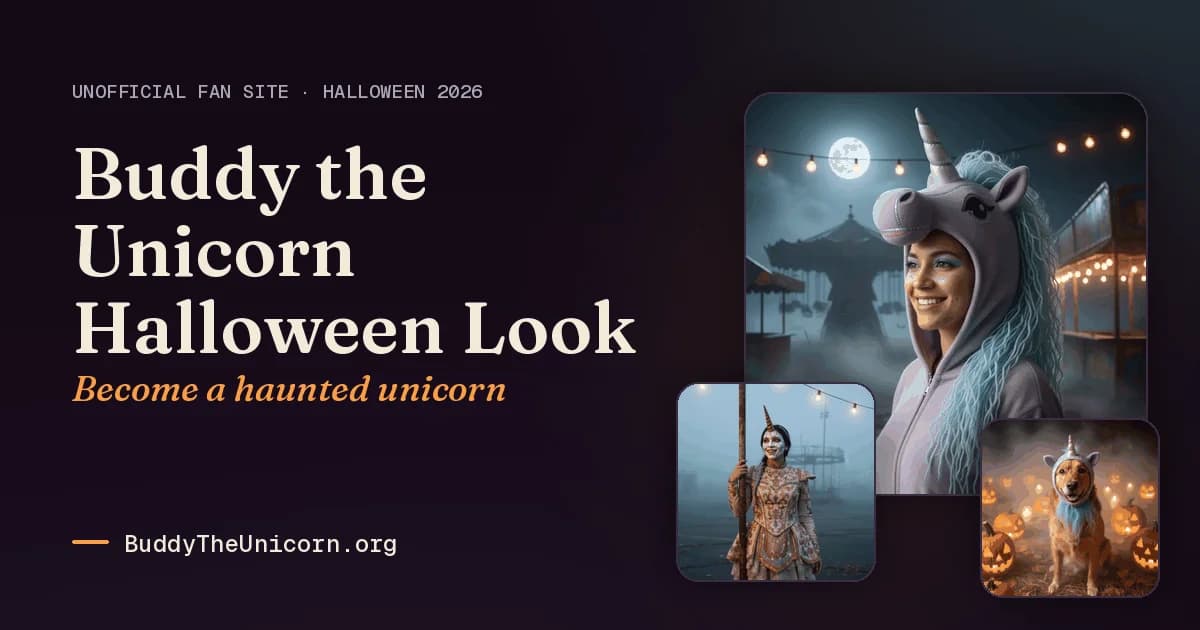
Buddy the Unicorn Halloween Look turns a selfie, pet photo, or couple photo into an original haunted-unicorn portrait. It is for people who want a themed Halloween image of themselves, their pet, or a pair, without building a costume scene from scratch. The site offers several preset styles and a separate gallery of copyable prompts, so visitors can either generate a look there or use the prompt text in another image editor that accepts a reference photo and text instructions.
The site describes these portraits as original haunted-unicorn styles, not depictions of the film character. Its prompt gallery groups examples for selfies, pets, and couples, giving visitors a starting point for different subjects and scenes.
What can Buddy the Unicorn Halloween Look do?
The generator creates a portrait from an uploaded selfie, pet photo, or couple photo. Visitors can choose a themed look, with options including moonlit, porcelain, gothic, pastel, skeleton, pet, and couple styles. The result is saved to the account, where it is private to that account owner.
The Halloween prompt gallery offers copyable prompts grouped around selfie, pet, and couple looks. Visitors can use the prompts with an editor that accepts a reference photo and text instruction, or use the site’s generator. The gallery describes prompts that aim to keep the subject recognizable while changing the costume and scene; results can vary.
- Generate a haunted-unicorn portrait from a selfie, pet photo, or couple photo.
- Choose from themed options such as moonlit, porcelain, gothic, pastel, or skeleton looks.
- Browse copyable Halloween prompts grouped for selfie, pet, and couple images.
- Keep generated results privately in the account until automatic deletion after 90 days.
Who is Buddy the Unicorn Halloween Look best for?
Choose it if you want a Halloween portrait built around yourself, your pet, or a couple, and want themed looks rather than a general-purpose image editor. The prompt gallery may also suit someone who already uses an image editor that accepts a reference photo and text instructions and wants ready-made Halloween prompt text. It is not a fit for creating a celebrity or public figure’s likeness, or for sexual, violent, hateful, or harassing content, which the terms prohibit.
Buddy the Unicorn Halloween Look pricing in brief
The service offers a free look for a new account after email verification, followed by paid credit packs. Packs are one-off purchases rather than recurring subscriptions, and credits do not expire. Each credit is used for one look. The available paid pack sizes and amounts are shown separately in the listing’s pricing details.
Limitations to know about Buddy the Unicorn Halloween Look
The terms do not guarantee that results will meet expectations or that the service will always be available without errors. Generated images may be imperfect or non-unique. Uploaded photos are processed for generation; the privacy policy says they are not kept after processing, but if the backup image provider is used, the photo may be held briefly and deleted when processing ends, no later than two days. Results are automatically deleted after 90 days, so download portraits you want to keep. You may upload only your own photos or photos of people who consented; photos of minors may be uploaded only by a parent or legal guardian. Users must be at least 13, and users below the age of majority need parent or guardian permission.
Alternatives to Buddy the Unicorn Halloween Look
For a different route to themed image creation, Midjourney is an image-generation alternative, while Adobe Firefly offers another image-creation option. If your priority is preparing or editing product-style photos rather than making a Halloween portrait, Photoroom is a related photo tool. These alternatives serve neighboring image tasks; compare their current features and terms before choosing.


