Cursor logo - Development AI tool

Cursor

AI ToolSubscription

Cursor is a coding environment with desktop IDE, CLI, web and mobile interfaces for working with coding agents. Agents can explore codebases, make changes and run terminal commands for builds, tests and installs.

Last updated:

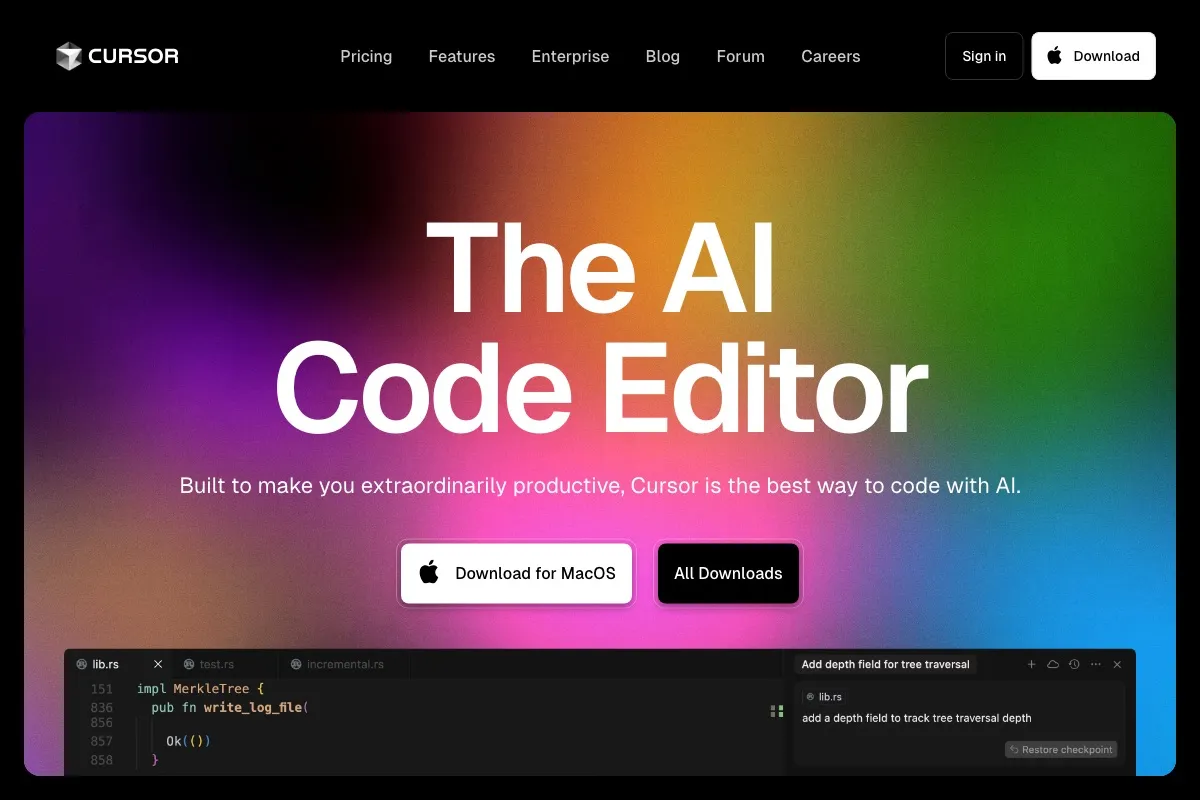
Cursor screenshot - Development interface and features overview

About Cursor

Cursor is a coding environment for developers who want to delegate parts of software work to agents and review the resulting changes. It provides desktop IDE, command-line, web and mobile interfaces, so people can work with agents in the environment that fits the task. Agents can explore a codebase, plan a complex change, ask clarifying questions and execute work in the background. This setup addresses the effort of navigating code and carrying out multi-step coding tasks, while leaving people able to inspect what changed.

What can Cursor do?

Agents can work through a task with a plan, ask questions when they need clarification, and make changes. Users can run multiple subagents in parallel, for example to explore a codebase and handle separate tasks. Instant Grep searches large codebases for relevant code context. Cursor can also run terminal commands for builds, tests and installs, with execution sandboxed by default.

  • Add code context with @-mentions and image uploads.
  • Inspect changes and roll back to a prior snapshot with Git checkpoints.
  • Launch Cloud Agents from the web, iOS, Slack, GitHub or Bitbucket, Linear, and API.
  • Use voice chat with agents in the Agents Window, IDE, web and iOS.

Repository-based Cloud Agents require repository access and source-control setup. Cursor's product materials also describe agents that scaffold, configure and deploy live apps with a database and authentication. Publishing those apps requires security checks and an explicit approval action.

Who is Cursor best for?

Cursor suits developers who want agents to handle code exploration, implementation tasks or terminal work while they review the changes. It may also fit teams that need shared administration, usage analytics, team privacy settings or a marketplace for internal rules, skills and plugins. People considering Cloud Agents for repository work should account for the repository access and source-control setup they require. Teams with stricter access or spend needs can compare the listed administrative and control options before choosing a plan.

Cursor pricing in brief

Cursor has a free plan with limited usage, individual paid tiers with different usage allowances and features, per-seat team plans, and a custom Enterprise option. Some paid tiers include third-party model usage billed separately at API list price. The listed plans differ in access to Cloud Agents, automations, code hosting, AI code reviews, team administration and other controls. Check the plan details elsewhere on this page to compare those inclusions.

Limitations to know about Cursor

Usage on the free plan is limited, and the public pricing details supplied here do not give a numerical cap for that allowance. Plus has a shared weekly usage pool and excludes Cloud Agents, Automations, Bugbot, Origin and third-party models in Cursor. On Premium and higher individual plans, third-party model usage is billed separately at API list price. Enterprise has custom terms rather than a published fixed amount. Repository-based Cloud Agents also depend on repository access and source-control setup.

Alternatives to Cursor

For a comparison with other coding tools, see GitHub Copilot, Visual Studio Code and Windsurf. The supplied facts do not describe their features, pricing or integrations, so compare those details on their own listings before deciding which fits a particular workflow. Cursor's documented focus here is coding agents, codebase context and terminal work. Compare how each option supports the tasks, access requirements and plan limits that matter to you.

Visit Website

Disclosure: Some links are affiliate links. We may earn a commission. Learn more.

Key Features

Delegate coding tasks through desktop IDE, CLI, web and mobile interfaces.

Agents can plan tasks, ask clarifying questions, make changes and work in the background.

Run subagents in parallel to explore a codebase and handle separate tasks.

Search large codebases with Instant Grep to find code context.

Run terminal commands for builds, tests and installs, with execution sandboxed by default.

Add context with @-mentions and image uploads, then inspect or roll back changes with Git checkpoints.

Launch Cloud Agents from web, iOS, Slack, GitHub or Bitbucket, Linear and API, with repository access and source-control setup for repository-based agents.

Talk with agents by voice across the Agents Window, IDE, web and iOS.

Pricing Plans

Free

$0/month

  • Includes Cursor Agent, Chat and Tab completions with Cursor models.
  • AI usage, Agent requests, Chat requests and the usage pool are limited.
  • Suits people who want to try Cursor's included coding tools with limited usage.

Plus

$8/month

  • Includes a base shared weekly AI usage pool.
  • Includes Cursor and Grok Chat, Voice, Imagine and Build, plus Grok API access.
  • Only Grok models are available in Cursor on this plan.
  • Cloud Agents, Automations, Bugbot, Origin and third-party models are not included.

Premium

$30/month

  • Includes four times the Plus usage, Cloud Agents and automations.
  • Adds code hosting through Origin and AI code reviews through Bugbot.
  • Includes Grok Bot; third-party model usage is billed separately at API list price.
  • Suits individuals who need the listed agent, automation and review features.

Super

$100/month

  • Includes fifteen times the Plus usage and everything in Premium.
  • Gets priority model access at peak times.
  • Third-party model usage is billed separately at API list price.
  • Suits individuals who need higher usage and priority access.

Ultra

$200/month

  • Includes fifty times the Plus usage and everything in Super.
  • Includes earliest access to new products and models.
  • Third-party model usage is billed separately at API list price.
  • Suits individuals who need the highest listed individual usage tier and early access.

Teams

$30+/user/month

  • Per-seat tiers match Premium, Super or Ultra usage.
  • Includes centralized billing and administration, usage analytics and team-wide privacy settings.
  • Provides a team marketplace for internal rules, skills and plugins, plus SAML/OIDC SSO.
  • Suits teams managing seats, usage and shared internal resources.

Enterprise

Custom

  • Uses pooled usage, with invoice or PO billing and SCIM seat management.
  • Includes granular spend controls, audit logs and service accounts.
  • Adds advanced repository, model, MCP, network and agent controls.
  • Terms are arranged through sales, so no fixed price is listed.

Pricing information last updated: November 13, 2026

Visit Website

Disclosure: Some links are affiliate links. We may earn a commission. Learn more.

FAQs

What is included in Cursor's Free plan?

It includes Cursor Agent, Chat and Tab completions with Cursor models. AI usage, Agent requests, Chat requests and the usage pool are limited.

Which plan includes Cloud Agents and automations?

Premium includes Cloud Agents and automations. Super and Ultra include everything in Premium.

Are third-party models included in the paid plans?

Plus does not include third-party models. Premium, Super and Ultra allow third-party model usage at API list price, billed separately.

What does Cursor Teams include?

Teams includes per-seat tiers matching Premium, Super or Ultra usage, centralized billing and administration, usage analytics, team-wide privacy settings, an internal team marketplace and SAML/OIDC SSO.

Is there a fixed Enterprise price?

No fixed amount is listed. Cursor directs Enterprise customers to contact sales for terms.