Wondershare Filmora logo - Video & Animation AI tool

Wondershare Filmora

AI ToolFreemium

Wondershare Filmora is a video editor for desktop and mobile that combines timeline editing, recording, export tools, and AI-assisted workflows. It supports tasks such as trimming footage, adding captions, enhancing media, and generating edit suggestions from analyzed content.

Last updated:

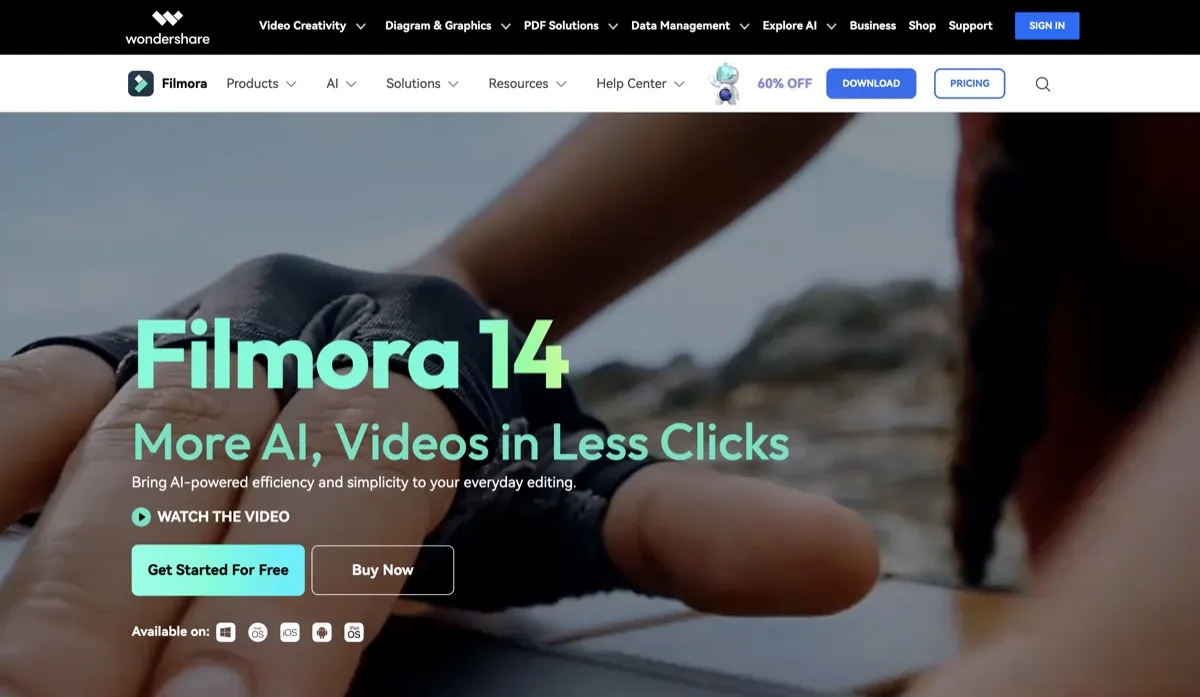
Wondershare Filmora screenshot - Video & Animation interface and features overview

About Wondershare Filmora

Wondershare Filmora is a video editor for people who need to turn recorded footage, screen captures, or generated media into finished videos. It combines timeline editing with recording, export, and AI-assisted workflows, so creators can work on tasks such as trimming clips, adding captions, enhancing media, and preparing videos for social platforms. Filmora is available on desktop and mobile, giving individual creators and teams a way to handle editing work across supported devices.

The editor also addresses the time-consuming steps around organizing and refining footage. Its analysis tools can identify elements in media and suggest ways to shape an edit, while its recording tools capture multiple sources for later adjustment. The result is a workflow that brings capture, editing, and export into one application rather than treating each as a separate task.

What can Wondershare Filmora do?

Filmora provides timeline editing tools for cutting and trimming footage, motion controls, camera tracking, color grading, audio work, captions, and export. It supports formats including MP4, MOV, AVI, MKV, and MPEG, as well as social-platform export options. The editor is available for Windows and macOS, with mobile apps for iOS, iPadOS, and Android.

AI Media Analysis identifies people, scenes, actions, speech, and key moments, then produces tags, summaries, and edit suggestions. Other listed workflows include text-based editing, caption generation, voice and picture enhancement, AI Extend, and generative video. Filmora also lists AI video and image generation, Smart Short Clips, AI Object Remover, Speech-to-Text, Text-to-Speech, and AI Voice Cloning.

  • Record the screen, camera, microphones, and system audio together, with sources kept independently editable.
  • Use camera tracking, color masks, and 360° video reframing among the capabilities added in Filmora 16.
  • Generate captions and use text-based editing to work with video through its text workflow.
  • Export to common video formats or use social-platform export options.

Who is Wondershare Filmora best for?

Filmora suits creators who want one editor for footage capture, timeline work, media enhancement, captions, and export. It can fit social video workflows that use Smart Short Clips and platform export options, as well as projects that benefit from screen recording or AI Media Analysis. Desktop users can work on Windows or macOS, while mobile apps support editing on iOS, iPadOS, and Android. People who need a perpetual license should weigh its device-specific terms and version limit.

Wondershare Filmora pricing in brief

Filmora has a free version and paid options that include recurring subscriptions and a perpetual license. Paid plans differ in cloud storage, AI credits, asset access, export terms, and upgrade coverage. The free version is useful for basic editing, but its exports carry a watermark and it does not include Filmora Cloud Storage or the full Creative Assets library.

Limitations to know about Wondershare Filmora

AI features on paid tiers use credits, and unused subscription AI credits are reclaimed when the next 30-day allocation is issued. The perpetual license covers updates within Filmora 16 only, is device-specific, and does not include future major versions. The official site says AI-generated resources such as images, stickers, text-to-video, and generated sound effects are for non-commercial use; commercial eligibility varies by resource label. Check the label for each resource before using it commercially.

Alternatives to Wondershare Filmora

Descript is another option to compare for video editing workflows, while flexclip offers a related video creation tool. Kapwing is also worth comparing for video editing. This listing does not establish a feature-by-feature comparison, so check each tool’s current capabilities and terms against the needs of your project.

Visit Website

Disclosure: Some links are affiliate links. We may earn a commission. Learn more.

Key Features

Edit video on Windows, macOS, iOS, iPadOS, and Android.

Cut and trim on a timeline, with motion controls, camera tracking, color grading, audio tools, captions, and export workflows.

Analyze people, scenes, actions, speech, and key moments to generate tags, summaries, and edit suggestions.

Record screen, camera, microphones, and system audio as independently editable sources.

Use text-based editing, caption generation, voice and picture enhancement, AI Extend, and generative video tools.

Generate video and images; use Smart Short Clips, Object Remover, Speech-to-Text, Text-to-Speech, and AI Voice Cloning.

Export to MP4, MOV, AVI, MKV, and MPEG, with social-platform export options.

Pricing Plans

Free

$0

  • Basic editing features for trying out the editor.
  • Free exports include a Filmora watermark.
  • Filmora Cloud Storage is not included.
  • The full Creative Assets library requires upgrading.

Basic

US$4.17 /mo; billed yearly as US$49.99

  • Includes 2.9M+ creative assets and 1 GB cloud storage.
  • Exports without a watermark, including 4K export.
  • Includes 100+ advanced editing features and continuous version upgrades.
  • Includes 500 free AI Mate conversations; suits editing with a defined AI conversation allowance.

Advanced

US$5.00 /mo; billed yearly as US$59.99

  • Includes Basic benefits and 10 GB cloud storage.
  • Includes 1,000 Filmora AI Credits per month for 20+ AI features.
  • Exports watermark-free in 4K and includes continuous version upgrades.
  • Includes 500 free AI Mate conversations; suits regular use of credit-metered AI features.

Premium

US$8.33 /mo; billed yearly as US$99.99

  • Includes 2,000 Filmora AI Credits per month and 100 GB cloud storage.
  • Includes 2.9M+ creative assets and continuous version upgrades.
  • Exports watermark-free in 4K.
  • Includes 500 free AI Mate conversations; suits users needing the largest stated monthly credit and storage allowances.

Perpetual

US$79.99 one-time payment

  • Includes 1,000 one-time AI credits, 2.9M+ creative assets, and 1 GB cloud storage.
  • Includes watermark-free 4K export.
  • Updates are limited to Filmora 16; future major versions are not included.
  • The license is device-specific; suits buyers who prefer a one-time license and accept those limits.

Pricing information last updated: October 21, 2026

Visit Website

Disclosure: Some links are affiliate links. We may earn a commission. Learn more.

FAQs

Does the free version add a watermark to exports?

Yes. Exports from the free version carry a Filmora watermark; paid plans remove it.

Does the free version include cloud storage and the full Creative Assets library?

No. Filmora Cloud Storage and the full Creative Assets library require upgrading.

Are Filmora’s AI features unlimited?

No. AI features are credit-metered on paid tiers. Subscription AI credits not used before the next 30-day allocation are reclaimed.

What does the Perpetual license cover?

It includes updates within Filmora 16 only, not future major versions, and the license is device-specific.

Can AI-generated resources be used commercially?

The official site says AI-generated resources such as images, stickers, text-to-video, and AI-generated sound effects are for non-commercial use. Commercial eligibility varies by resource label.