
Google AI Studio logo - Development AI tool

Google AI Studio

AI ToolFreemium

Google AI Studio lets people build full-stack web apps from prompts and iterate through chat or visual annotations, as well as create native Android app projects. Apps can use server-side runtimes, connect to Firebase services, and be deployed to Cloud Run or synced with GitHub.

Last updated:

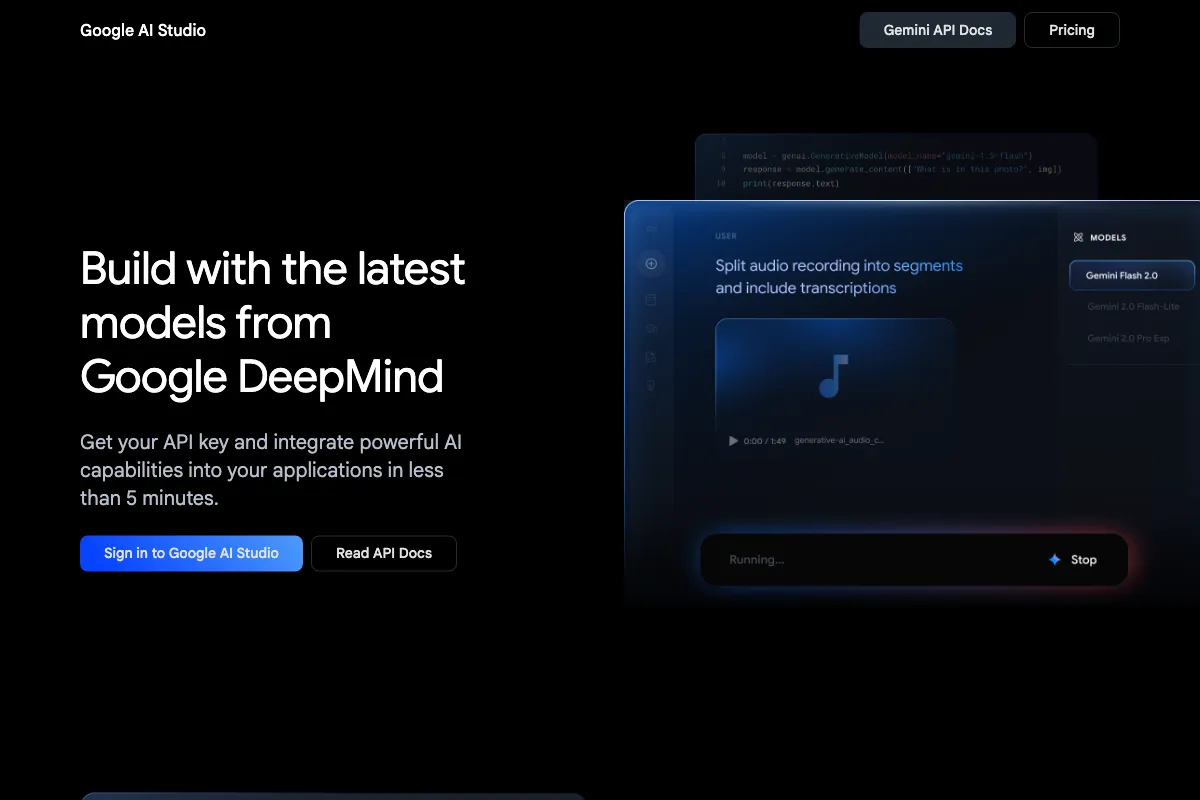
Google AI Studio screenshot - Development interface and features overview

About Google AI Studio

Google AI Studio is a browser-based workspace for building full-stack web apps from prompts and creating native Android app projects. It is for people who want to move from an idea to an app, then refine the result through chat or visual annotations. Its documented workflows address the work of assembling an app, connecting it to backend services, and choosing a deployment or project-sync path. Access to models and API features is also available, with free and paid access governed by model availability and usage.

What can Google AI Studio do?

In Build mode, a user can generate a full-stack web app and iterate on it in the workspace. Web apps can use a Node.js server-side runtime and npm packages. New apps using the API can keep the API key configured as a server-side secret rather than exposing it in browser code.

Projects can connect to Firebase Firestore and Firebase Authentication. The documented workflows also support deploying apps to Cloud Run or syncing projects with GitHub. For Android, Build mode supports native app projects using Kotlin and Jetpack Compose.

  • Generate and refine full-stack web apps with prompts, chat, and visual annotations.
  • Use server-side code and npm packages in web apps.
  • Connect apps to Firestore and Firebase Authentication.
  • Create native Android projects with Kotlin and Jetpack Compose.
  • Deploy to Cloud Run or sync a project with GitHub.

Who is Google AI Studio best for?

It suits people who want to prototype or build web apps from prompts, iterate on an app visually, or explore a native Android project in the same workspace. It may also suit developers who want server-side app code, Firebase connections, or a path to Cloud Run deployment and GitHub syncing. Teams considering it should check whether its documented workflows and usage-based API billing fit their project. Cloud Run usage may have separate Google Cloud charges.

Google AI Studio pricing in brief

Google AI Studio provides free access for eligible models, subject to model-specific availability and rate limits. Paid API access is usage-based rather than a flat subscription: costs depend on the model and usage, including tokens, caching, and applicable tools. Paid access requires a linked billing account and may require prepaid credits. An enterprise deployment is also offered through a separate platform.

Limitations to know about Google AI Studio

Free access does not cover every model, and rate limits differ by model. Paid API costs can vary with input and output tokens, cached tokens and storage duration, and applicable tools. Sharing an app can consume its owner's usage limits, and use of paid models may incur costs. Cloud Run can add separate Google Cloud charges. The vendor documentation also says prepaid credits expire after 12 months and are non-refundable, and billing pipeline delays may result in overages.

Alternatives to Google AI Studio

Consider LangFlow if you want a visual way to work with AI app flows, or Replit if you want an alternative environment for building and running apps. Flutterflow is another option to compare for visual app building. These tools have different workflows, so compare their current capabilities and pricing against the specific app project you need to build.

Visit Website

Disclosure: Some links are affiliate links. We may earn a commission. Learn more.

Key Features

Generate full-stack web apps from prompts and refine them through chat or visual annotations.

Create native Android app projects using Kotlin and Jetpack Compose.

Use a Node.js server-side runtime and npm packages in web apps.

Connect apps to Firebase Firestore and Firebase Authentication.

Configure the API key as a server-side secret in new API-connected apps.

Deploy apps to Cloud Run or sync projects with GitHub.

Pricing Plans

Free Tier

Free of charge

  • Access Google AI Studio and free input and output tokens for eligible models.
  • Model availability and rate limits vary; some models are not available on this tier.
  • Free-tier content may be used to improve Google products.
  • Suitable for exploring eligible models within their free-tier limits.

Paid Tier

Price varies

  • Access paid models and features with higher rate limits.
  • Batch API and context caching are available on supported models.
  • Costs depend on model and usage, including tokens, caching, and applicable tools.
  • Requires a linked billing account; prepaid credits may also be required.

Enterprise deployment (Gemini Enterprise Agent Platform)

Price varies

  • Enterprise deployment is offered through Gemini Enterprise Agent Platform.
  • The AI Studio pricing page does not state this deployment's price.
  • Suitable for readers evaluating an enterprise deployment; check the separate platform pricing page for pricing details.

Pricing information last updated: October 26, 2026

Visit Website

Disclosure: Some links are affiliate links. We may earn a commission. Learn more.

FAQs

Can Google AI Studio build web apps?

Yes. Build mode can generate full-stack web apps from prompts, with iteration through chat and visual annotations. Web apps can use a Node.js server-side runtime and npm packages.

Can I use Google AI Studio to create Android apps?

Build mode supports native Android app projects using Kotlin and Jetpack Compose.

Does Google AI Studio have a free option?

Yes. Free access includes input and output tokens for eligible models, but model availability and rate limits vary. Free-tier content may be used to improve Google products.

How are paid API costs calculated?

Paid API costs are usage-based, not a flat AI Studio subscription. Costs depend on the model and usage, including input and output tokens, cached tokens and storage duration, and applicable tools.

Can an app built in Google AI Studio connect to Firebase?

Yes. Documented app workflows can connect to Firebase Firestore and Firebase Authentication.

Can Google AI Studio apps be deployed or shared?

Apps can be deployed to Cloud Run or synced with GitHub. Sharing an app can consume the owner's usage limits, paid models may incur costs, and Cloud Run may have separate Google Cloud charges.