
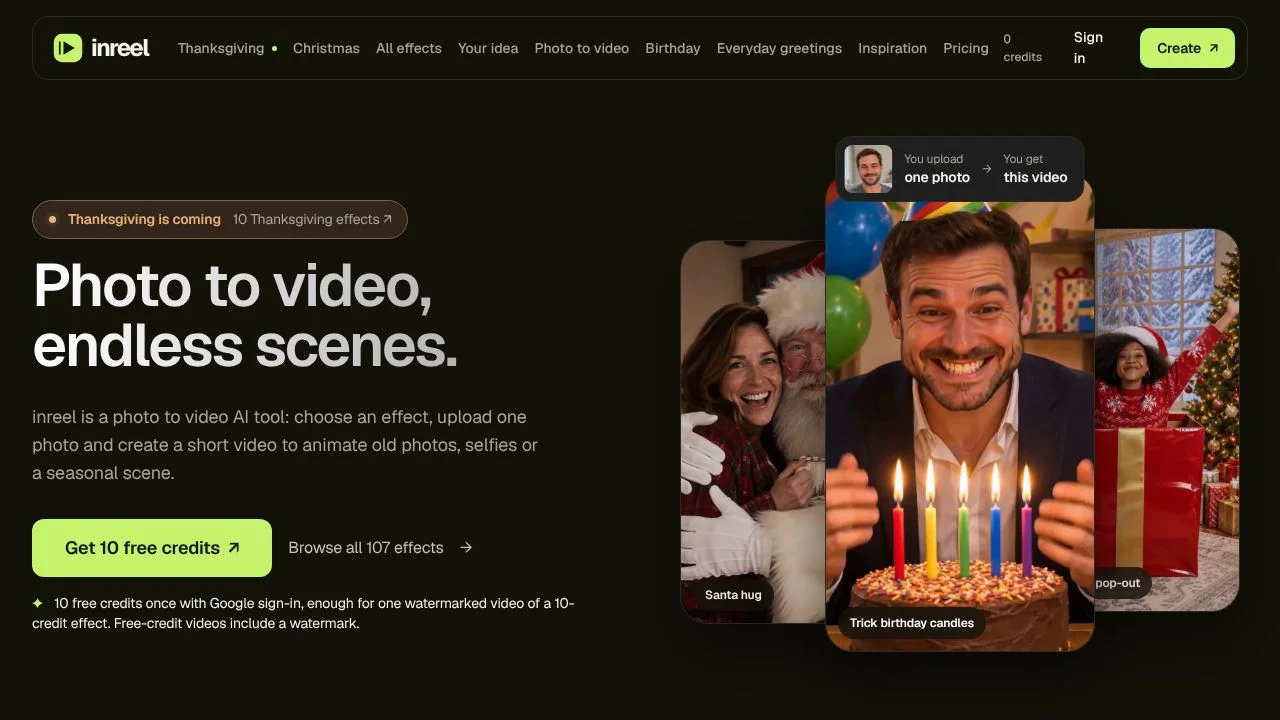
inreel turns a photo into a short video built around an effect you choose. It is for people who want to animate an old picture, make a greeting, try a transformation, feature a pet, or place an image in a seasonal scene. Rather than start with video footage, you upload one photo and select a preset or enter a custom idea. The result is a downloadable MP4, though its duration and format depend on the effect.
The service runs in a browser, so there is no installation step. You can preview a result with a watermark before deciding whether to spend credits to unlock the same HD video without it.
What can inreel do?
inreel uses one uploaded photo as the starting point for a short AI video. You select an effect from its presets or use the custom-idea option. Preset themes include old-photo animation, greetings, transformations, pets, and seasonal scenes. The precise duration, format, and credit cost are effect-specific, so check the selected effect before generating.
- Animate an old photo or use a greeting effect.
- Try transformation, pet, or seasonal scene effects.
- Submit a custom idea for a video.
- Download the generated result as an MP4.
- Preview with a watermark, then use credits to unlock the same HD video without it.
Failed generations automatically return the credits. Generation time varies, and motion, likeness, and other details may differ between results. These points matter when you need a particular look or timing, since a generated result may not match the source photo in every detail.
Who is inreel best for?
inreel suits someone who wants to make a short effect-based video from a single photo, especially for personal images, greetings, pet pictures, transformations, or seasonal scenes. The preset effects give you a defined starting point, while the custom-idea option allows a different prompt. It may suit a quick creative experiment better than a workflow that depends on fixed output duration, format, or appearance, since those details can vary by effect and generation.
inreel pricing in brief
inreel offers paid credit packs sold as one-time purchases rather than a subscription. A free watermarked preview is available, and credits can be used to unlock the same HD video without the watermark. The credit cost can vary by effect, with some effects costing more. The packs and their credit amounts are listed separately on this page.
Limitations to know about inreel
Free previews include a watermark. Output duration, format, and credit cost depend on the effect, and some effects cost more or produce landscape output. Generation time varies. Motion, likeness, and image details may also vary between results, so the generated video is not guaranteed to preserve every detail of the uploaded photo. There is no subscription option among the verified plans, which use one-time credit packs instead.
Alternatives to inreel
For a directory comparison, consider CapCut and Submagic alongside inreel. These names are included as alternatives for readers comparing tools in the video category, not as a claim that their functions match inreel's photo-to-video effects. The verified details here describe inreel only. Check each alternative's listing for its own capabilities and terms before choosing a tool.


