
PolyPal - AI Live Translator logo - Communication AI tool

PolyPal - AI Live Translator

AI ToolFreemium

PolyPal - AI Live Translator provides live bilingual subtitles and translation for meetings, classes, events, videos, livestreams, phone calls, and photos. It also offers meeting summaries, mind maps, terminology tools, and subtitle export.

Last updated:

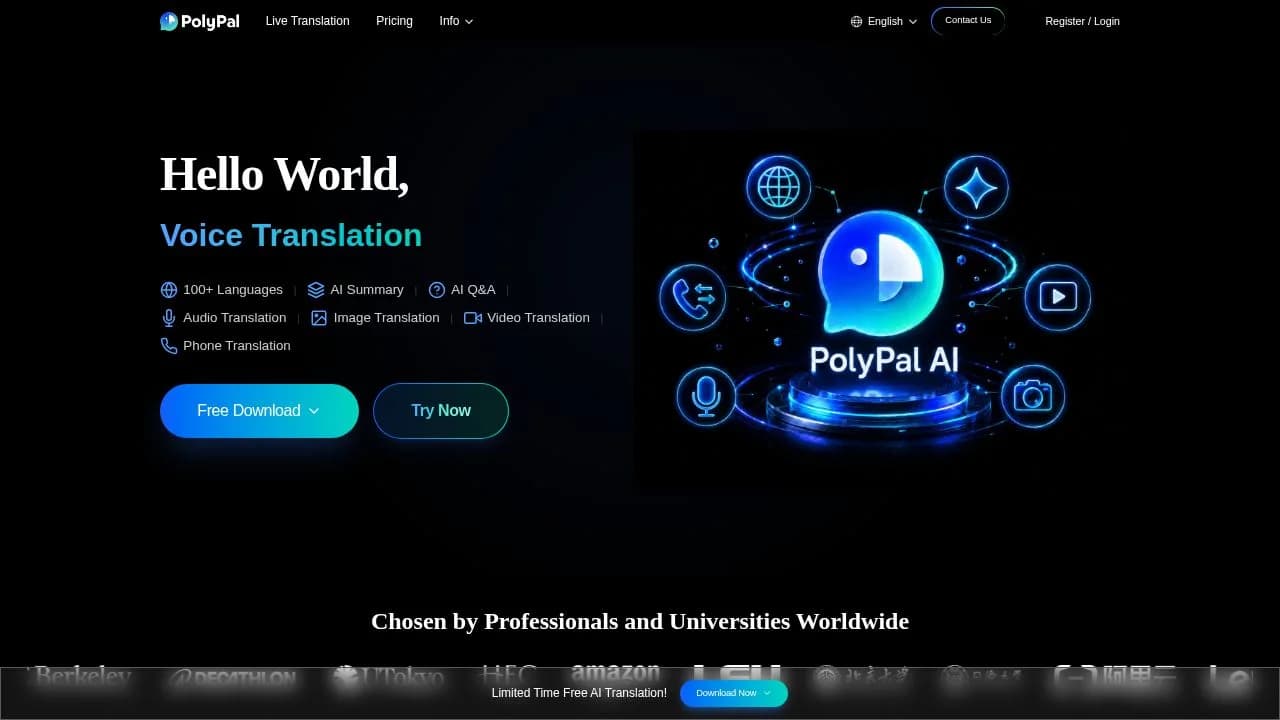
PolyPal - AI Live Translator screenshot - Communication interface and features overview

About PolyPal - AI Live Translator

PolyPal - AI Live Translator translates speech and text across meetings, classes, events, videos, livestreams, phone calls, and photos. It is for people who need to follow conversations or media across languages, including meeting participants, students, event listeners, and viewers. Floating bilingual subtitles help readers follow spoken content as it happens, while summaries, mind maps, terminology tools, and subtitle files support review after a session. The product also lists support for Zoom and Teams, alongside offline lectures and negotiations.

What can PolyPal - AI Live Translator do?

For meetings, classes, lectures, negotiations, and events, PolyPal provides live translation with floating bilingual subtitles. Its official page also lists AI-generated summaries and mind maps for meetings and classes. Professional terminology can be recognized and explained; a personalized glossary can be managed manually or extracted with AI and synced across devices.

  • Translate subtitles for YouTube, TikTok, Twitch, and Weverse videos and livestreams, or upload videos for subtitling.
  • Customize subtitle style and alignment, then export subtitle files synchronized with the original audio.
  • Translate two-way international phone calls; invitees can join by link without downloading the app.
  • Translate text in a photo and overlay the translated text on the original image.
  • Large-event mode supports five languages and up to 2,000 listeners.

The pricing page lists iOS, Android, Windows, and Mac support. The available facts do not establish which individual features are available on each platform.

Who is PolyPal - AI Live Translator best for?

Consider PolyPal if you need translated subtitles during a meeting, lecture, negotiation, or event, or want translated subtitles for supported video and livestream services. It may also suit people who need meeting or class summaries, terminology support, or translated phone calls and photos. Check the listed monthly allowances against your expected use, especially if you need more simultaneous translation time or export features.

PolyPal - AI Live Translator pricing in brief

The pricing page lists a free version and paid tiers. The free version has limited simultaneous translation time, credits, daily summaries and mind maps, and view-only meeting records. Paid tiers list a higher translation allowance, more credits, unlimited summaries and mind maps, and audio and text export. The page does not show exact prices, plan names, billing periods, or currency in the verified information.

Limitations to know about PolyPal - AI Live Translator

The free plan lists 30 minutes of simultaneous translation and 300 bonus credits per month; paid tiers list 600 minutes and 500 bonus credits per month. The free plan includes one AI summary and mind map daily, and its meeting records are view-only. Audio and text export and unlimited summaries and mind maps are listed as paid benefits. PolyPal’s privacy policy says transcription text and user-entered questions, notes, and instructions may be processed for translation and AI features. Exact prices and platform-specific feature availability were not established by the verified pages.

Alternatives to PolyPal - AI Live Translator

DeepL Translator is a related option for readers comparing translation tools, while ChatGPT can be considered by readers looking for a conversational AI tool. Google Gemini is another general-purpose AI option to compare. These alternatives are not described here as having PolyPal’s specific live subtitle, phone-call, or photo translation features; check each listing for its own capabilities.

Visit Website

Disclosure: Some links are affiliate links. We may earn a commission. Learn more.

Key Features

Live bilingual subtitles for meetings, classes, lectures, negotiations, and events.

Supports Zoom, Teams, and offline lectures or negotiations; large-event mode supports five languages and up to 2,000 listeners.

Generates meeting and class summaries and mind maps.

Recognizes and explains professional terminology; manage a glossary manually or create one with AI and sync it across devices.

Translates subtitles for YouTube, TikTok, Twitch, and Weverse videos and livestreams; uploaded videos can also be subtitled.

Customize subtitle style and alignment, then export subtitle files synchronized to the original audio.

Translate two-way international phone calls; invitees can join by link without downloading the app.

Translate text in photos and overlay it on the original image.

Pricing page lists support for iOS, Android, Windows, and Mac.

Pricing Plans

Free

Not shown on the opened pricing page

  • 30 minutes of simultaneous translation and 300 bonus credits per month.
  • Includes all platforms, 100+ languages and accents.
  • Includes one AI summary and mind map per day, plus view-only meeting records.
  • Suited to people who need limited translation and daily summaries.
  • Unused minutes do not roll over; live translation is restricted when included minutes run out.

Pro (Monthly) — 54% Off

$13.9

  • 600 minutes of simultaneous translation and 500 bonus credits per month.
  • Includes unlimited summaries and mind maps, audio and text export.
  • Includes a custom glossary, hot words, and advanced models.
  • Suited to people needing more monthly translation and export or glossary tools.
  • Unused minutes do not roll over; live translation is restricted when included minutes run out.

Pro (Annual) — 67% Off Limited-Time

$119

  • 600 minutes of simultaneous translation and 500 bonus credits per month.
  • Includes unlimited summaries and mind maps, audio and text export.
  • Includes a custom glossary, hot words, and advanced models.
  • Suited to people needing more monthly translation and export or glossary tools.
  • Unused minutes do not roll over; live translation is restricted when included minutes run out.

Pricing information last updated: November 1, 2026

Visit Website

Disclosure: Some links are affiliate links. We may earn a commission. Learn more.

FAQs

Which meeting platforms does PolyPal list?

The official page lists Zoom and Teams, as well as offline lectures and negotiations. The pricing page lists iOS, Android, Windows, and Mac support.

What does the free plan include?

The pricing page lists 30 minutes of simultaneous translation, 300 bonus credits per month, all platforms, 100+ languages and accents, one AI summary and mind map daily, and view-only meeting records.

What is included in the paid plans?

The listed paid-plan benefits include 600 minutes of simultaneous translation and 500 bonus credits per month, unlimited summaries and mind maps, audio and text export, a custom glossary, hot words, and advanced models.

Can PolyPal translate video subtitles?

The official page lists real-time translated subtitles for YouTube, TikTok, Twitch, and Weverse videos and livestreams. It also says users can upload videos for subtitling.

Are exact plan prices shown?

The opened pricing page lists plan benefits and discount labels, but the verified facts do not establish exact prices, plan names, billing periods, or currency.