Packify logo - Design AI tool

Packify

AI ToolFreemium

Affiliate link. We may earn a commission if you use the Visit Website button. Learn more.

Packify is a packaging design platform for creating packaging artwork, 3D previews, and branded mockups from product and brand briefs. It also provides chat-based design editing, product imagery tools, and label and nutrition-facts design tools.

Last updated:

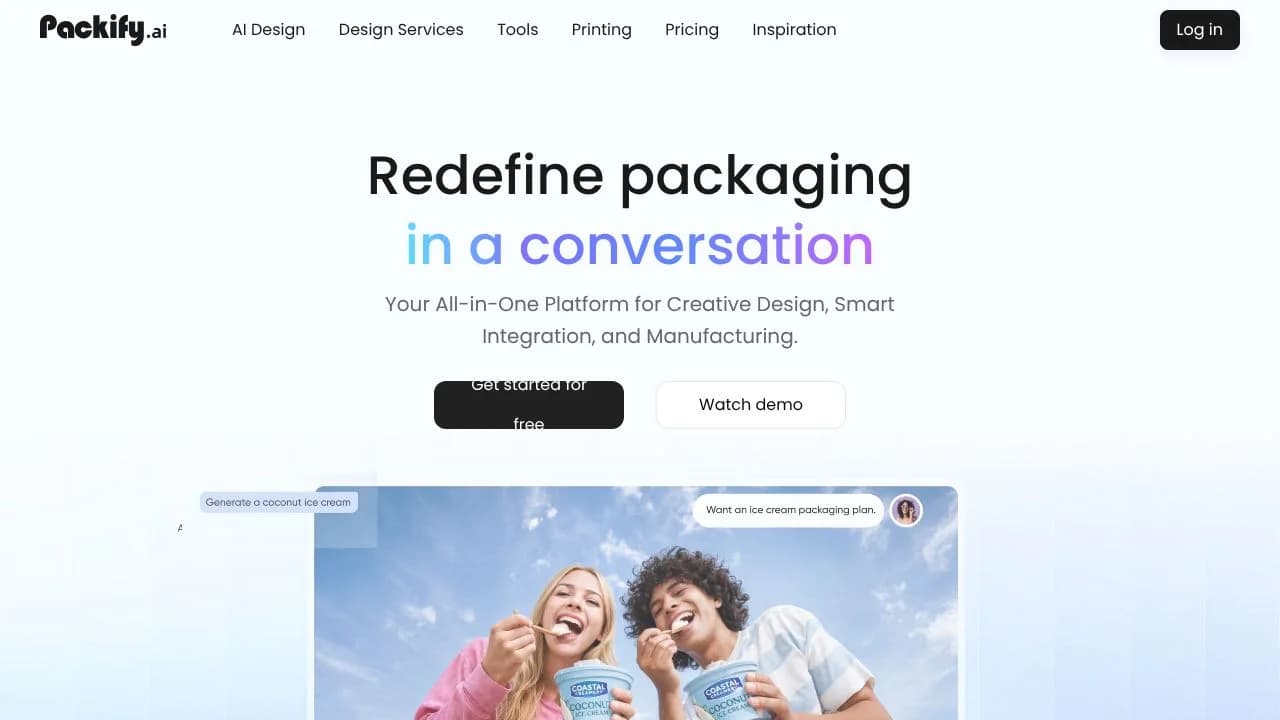
Packify screenshot - Design interface and features overview

About Packify

Packify is an AI packaging design tool for people developing product packaging concepts and visuals. It turns text descriptions into packaging designs through a conversational workflow, then lets users refine the results in chat and an editor. This can help product teams, independent makers, and designers explore a package’s appearance, prepare visual concepts, and create supporting product imagery in one workflow. Users can also start from a logo or an existing packaging image, giving the design process a visual reference rather than relying only on a written prompt.

What can Packify do?

Packify creates 3D packaging concepts and previews for formats including boxes, bottles, pouch bags, cosmetic packaging, and product labels. Its packaging design workflow also includes AI product photography and background generation, so users can develop package visuals alongside imagery for presenting a product.

  • Describe a packaging concept and develop it through a conversational design workflow.
  • Upload a logo or existing packaging image to use as a reference.
  • Refine graphics, colors, and layout through chat and an editor.
  • Set up a Brand Kit with a logo, colors, and description for consistent designs across products.
  • Export dielines and downloadable images, including print-ready AI and PDF files.

Packify also offers an API for generating packaging designs and product photoshoots. Its homepage offers connections to packaging manufacturers and expert packaging design services, which may be relevant when moving from a concept toward production.

Who is Packify best for?

Packify is suited to product teams, makers, and designers who want to explore packaging concepts, revise visual details, or create product imagery as part of the design process. It may fit users working with the listed packaging formats who want to bring a prompt, logo, or reference image into a conversational workflow. Teams seeking consistent branding across products can use Brand Kits, while developers can consider the design and photoshoot API. Check that the supported format and exported files meet the needs of your specific production workflow.

Packify pricing in brief

The verified pricing page presents a free plan with a one-time credit allowance, alongside paid plans. Its plan display pairs monthly amounts with annual billing amounts, and the exact applicable checkout price should be confirmed before purchase. Credit use varies by feature: AI Design/Edit and AI Photoshoot have different listed costs, and AI Editor usage depends on generated images and AI calls.

Limitations to know about Packify

Free-plan credits do not refresh, so the included allowance is a one-time resource rather than a recurring monthly balance. The pricing page lists different credit costs for design and editing versus photoshoots, and editor usage can vary. The listed packaging formats may not cover every structure; Packify describes additional types as coming soon. Generated results are not exclusive, and Packify does not guarantee every output is cleared for all commercial uses. Before production, confirm dimensions, material, bleed, cut lines, and color mode with your printer. Dieline accuracy and printer compatibility have not been independently tested here.

Alternatives to Packify

For a comparison focused on visual creation, consider Canva as another option to evaluate for developing visual concepts, Adobe Firefly when comparing AI-assisted visual creation, or Photoroom when comparing product-image workflows. These are comparison starting points, not verified feature-by-feature substitutes for Packify’s packaging-specific concepts, Brand Kits, and dieline exports. Check each tool’s current capabilities against the packaging formats, editing steps, and production files your project requires.

Visit Website

Affiliate link. We may earn a commission. Learn more.

Key Features

Generate packaging artwork and a 3D preview from a product, brand, and packaging brief.

Upload a logo or existing packaging image, then choose design elements, style, and colors.

Refine graphics, colors, and layout through a chat-based editing workflow.

Export packaging designs as AI or PDF files.

Create branded packaging mockups and refine colors, materials, text, backgrounds, and lighting.

Create product imagery with AI Photoshoot and background changes.

Use label and nutrition-facts design tools.

Pricing Plans

Free

$0

  • Includes 100 one-time credits; credits do not refresh.
  • Credits can be used for AI Design and AI Photoshoot; AI Design/Edit costs 10 credits and AI Photoshoot costs 5 credits.
  • AI Editor credit use varies with image generation and AI calls.
  • Top-up credits add usage but do not unlock additional plan features or permissions.
  • Suited to trying packaging design and mockup tools with a limited, non-renewing credit allowance.

Basic

$19.9/month

  • 1,000 credits per month.
  • Personal commercial license.
  • All packaging design tools.
  • Full ownership and privacy of your work.
  • Standard queue.
  • Yearly billing: $14.9/month, billed $179 annually.

Pro

$29.9/month

  • 2,500 credits per month.
  • Personal commercial license.
  • All packaging design tools.
  • Full ownership and privacy of your work.
  • First-priority queue.
  • Premium image models.
  • Advanced understanding agent.
  • Early access to beta models.
  • Yearly billing: $19.9/month, billed $239 annually.

Business

$49.9/month

  • 3,500 credits per month.
  • Company commercial license.
  • All packaging design tools.
  • Full ownership and privacy of your work.
  • High-quality design exports.
  • Team access enabled.
  • First-priority queue.
  • Premium image models.
  • Advanced understanding agent.
  • Early access to beta models.
  • API access for design and photography.
  • Export dielines (editable).
  • Yearly billing: $29.9/month, billed $359 annually.

Enterprise

$129/month

  • 10,000 credits per month.
  • Company commercial license.
  • All packaging design tools.
  • Full ownership and privacy of your work.
  • High-quality design exports.
  • Team access with 3 additional member seats included.
  • First-priority queue.
  • Premium image models.
  • Advanced understanding agent.
  • Early access to beta models.
  • API access for design and photography.
  • Export dielines (editable).
  • Yearly billing: $69.9/month, billed $839 annually.

Pricing information last updated: November 2, 2026

Visit Website

Affiliate link. We may earn a commission. Learn more.

FAQs

Can Packify create packaging artwork and a preview?

Yes. Its packaging design maker generates packaging artwork and a 3D preview from a brief describing the product, brand, and packaging type.

Can I edit a design after it is generated?

Yes. Packify supports chat-based edits to graphics, colors, and layout. Its mockup generator also supports refining visual details such as materials, text, backgrounds, and lighting.

What file formats can I export?

The packaging design maker page names AI and PDF exports. It says more export formats are coming.

Does Packify include product photography tools?

Packify lists an AI Photoshoot feature for creating product imagery with background changes.

What should I check before sending a design to print?

Confirm dimensions, materials, bleed, cut lines, and color mode with your printer before production.