AI Code Detector logo - Development AI tool

AI Code Detector

AI ToolFreemium

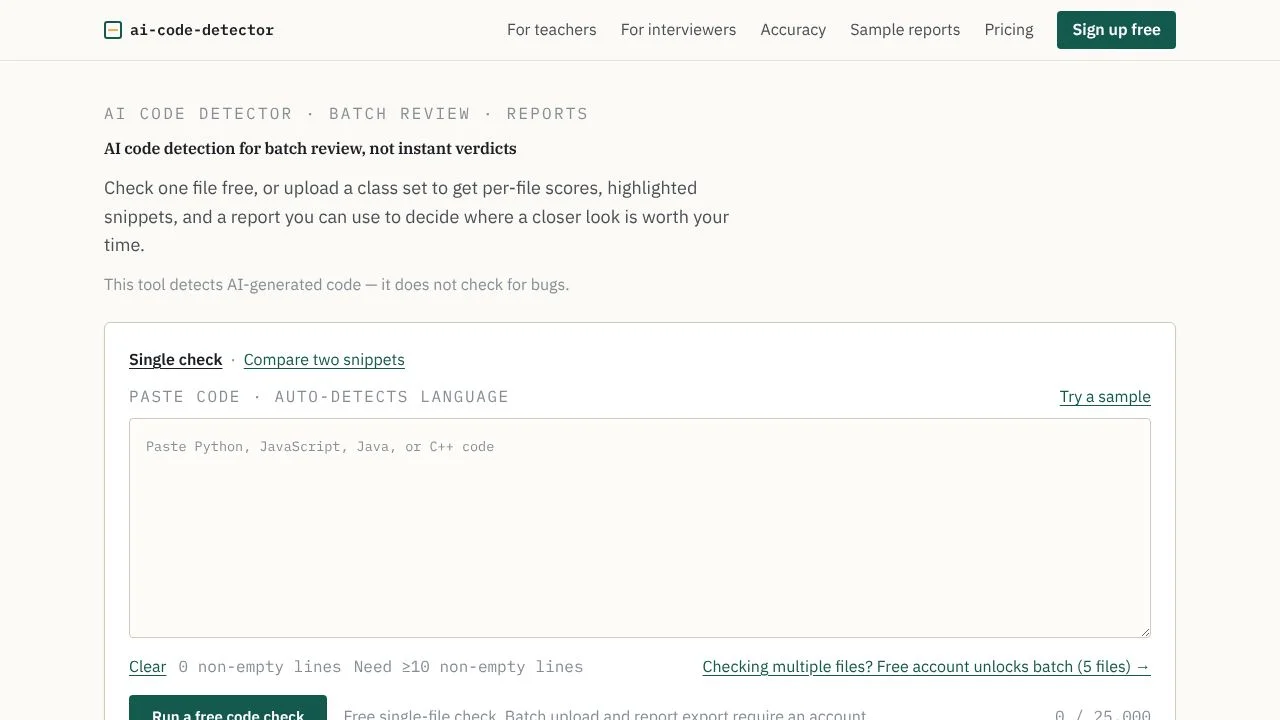
AI Code Detector screens code for signals associated with AI generation, returning an AI-likelihood score and highlighted snippets. It supports single-file checks and batch review with per-file scores to help teachers and interviewers decide what to examine more closely.

Last updated:

AI Code Detector screenshot - Development interface and features overview

About AI Code Detector

AI Code Detector screens code for signals associated with AI generation and highlights snippets that contribute to a score. Teachers reviewing programming assignments and interviewers examining take-home submissions can use those results to decide which files deserve a closer read. The problem it addresses is triage: reviewing many submissions takes time, while a score alone cannot explain authorship or intent.

Use the highlighted code and report notes as prompts for human review. The detector does not check code for bugs, and its result should not be treated as proof of authorship or misconduct.

What can AI Code Detector do?

Paste a code file to receive an AI-likelihood score and highlighted snippets. For batch review, upload multiple files or a ZIP and inspect scores per file. Reports show snippets contributing to a score and provide review notes, so reviewers can focus on the code that prompted a flag.

  • Review one pasted code file or process a batch of files.
  • Use per-file scores to sort a class set or other submission batch for closer reading.
  • On paid plans, export reports as PDF or CSV and run batch processing asynchronously with email notification.
  • Use flagged snippets to prepare follow-up questions and code walkthroughs in an interview workflow.

The site says uploaded code is not used to train AI models, uploads are encrypted in transit, and users can delete reports. These>Turnitin and Copyleaks are other tools to consider for a similar review task. GPTZero is another option to compare when evaluating detection workflows. Check each product’s own information for its supported inputs, methods, and limits; this listing does not establish that their results are interchangeable with AI Code Detector’s.

Visit Website

Disclosure: Some links are affiliate links. We may earn a commission. Learn more.

Key Features

Paste code for an AI-likelihood score with highlighted snippets.

Upload multiple files or a ZIP for per-file scores and batch review.

Review snippets contributing to a score alongside report notes.

Export reports as PDF or CSV on Pro plans.

Run Pro batch processing asynchronously and receive an email notification.

Use flagged snippets to prepare interview follow-up questions and code walkthroughs.

Uploaded code is not used to train AI models; uploads are encrypted in transit.

Delete reports yourself when they are no longer needed.

Pricing Plans

Free

$0/month

  • 10 scans per month, plus 5 extra in the first month.
  • Batch up to 5 files per run; history is kept for 7 days.
  • View per-file scores and highlighted snippets online.
  • Suits occasional checks or small batches; no PDF or CSV export is listed.

Pro

$9/month

  • 300 scans per month and batch up to 50 files per run using ZIP.
  • Export reports as PDF or CSV; history is kept for 12 months.
  • Batch processing can run asynchronously with email notification.
  • Suits recurring class or interview reviews; the monthly plan is month to month.

Pro — Annual

$90/year

  • 300 scans per month and batch up to 50 files per run using ZIP.
  • Export reports as PDF or CSV; history is kept for 12 months.
  • Batch processing can run asynchronously with email notification.
  • Suits recurring reviews paid annually; the page states a 14-day full refund.

Pricing information last updated: November 2, 2026

Visit Website

Disclosure: Some links are affiliate links. We may earn a commission. Learn more.

FAQs

Can I use a score to accuse a student or reject a candidate?

No. The site describes results as screening signals, not determinations of authorship or misconduct. Review flagged code with its author; do not use the result alone for an accusation or candidate rejection.

What happens when I scan a code file?

The tool returns an AI-likelihood score and highlighted snippets. Reports show snippets contributing to a score and provide review notes.

Can I scan several files at once?

Yes. You can upload multiple files or a ZIP for per-file scores. The free plan allows batches of up to 5 files per run; Pro plans allow up to 50 files per run using ZIP.

Does it check code for bugs or compare submissions?

No. The site says the tool screens for AI-generation signals; it does not check for bugs or compare code with other submissions or public sources.

What code is too short to scan?

Files with fewer than 10 non-empty lines of code are rejected rather than scored.