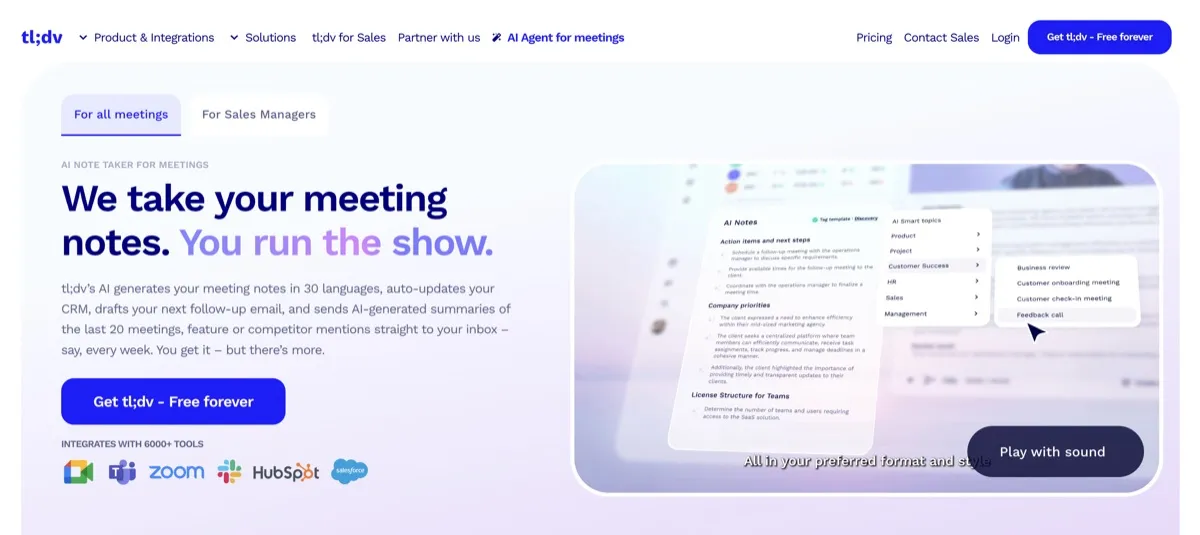
tl;dv records online meetings and turns their conversations into transcripts, AI summaries, and searchable meeting libraries. It is for people and teams who need to revisit what was said, find useful moments, or carry meeting information into follow-up work. Rather than relying on memory or manually searching through entire calls, users can work with transcripts, clips, and highlights. The service records meetings on Zoom, Google Meet, and Microsoft Teams, and the vendor also describes a desktop-app option for recording without a meeting bot.
Its plans separate core recording and transcription from higher-tier note-taking, search, sales coaching, and team reporting capabilities. That distinction matters when comparing the free option with plans intended for ongoing workflows.
What can tl;dv do?
tl;dv creates transcripts and AI summaries and organizes recordings in searchable meeting libraries. Users can make clips and highlights to bring attention to specific moments. The vendor describes transcription across more than 30 languages and dialects. Ask tl;dv can query meeting content, including across multiple meetings, and the service also describes reports that can recur on a schedule.
Paid plans add capabilities for organizing and acting on meeting information. Pro includes global transcript search, custom AI note templates, action-item assignment, follow-up email drafting, CRM auto-sync, API, and webhooks. Its MCP server can expose meeting lists, metadata, transcripts, and highlights to compatible AI clients. Business adds sales playbook monitoring, AI coaching, objection handling, multi-meeting insights, recurring reports, and team-wide CRM mapping.
- Record meetings on Zoom, Google Meet, and Microsoft Teams, or use the described desktop-app recording option.
- Create transcripts, AI summaries, searchable libraries, clips, and highlights.
- Query meeting content with Ask tl;dv, including across multiple meetings.
- Use Pro tools for transcript search, note templates, action items, follow-up drafts, and CRM connections.
- Use Business sales coaching, playbook monitoring, and multi-meeting reporting features.
Who is tl;dv best for?
It suits individuals who want a record of online meetings and teams that need to find and reuse conversation details. Pro is a fit when global transcript search, custom note templates, CRM auto-sync, or API and webhook access matter. Sales and customer-facing teams that want playbook monitoring, coaching, objection handling, recurring reports, and team-wide CRM mapping can consider Business. Organizations seeking custom workspace arrangements, privately hosted AI, advanced admin controls, or a dedicated customer success manager can review Enterprise.
tl;dv pricing in brief
tl;dv offers a free version alongside paid per-seat tiers and a variable-priced Enterprise option. The free version includes meeting recording and transcription, with a monthly cap on AI notes and a defined retention period. Paid tiers add progressively different note-taking, search, integrations, sales, reporting, and administration capabilities. Compare the specific plan inclusions against the workflows your team needs before choosing.
Limitations to know about tl;dv
The Free plan limits AI notes to 10 meetings per month and retains data for three months, despite including unlimited meeting recordings and transcription. Features are not uniform across plans: global transcript search and custom note templates are stated for Pro, while sales coaching and team-wide CRM mapping are stated for Business. Enterprise pricing varies. The available verified information does not establish a complete feature-by-plan matrix or all current platform, language, and storage limits, so confirm any requirement not listed here with the vendor.
Alternatives to tl;dv
For comparison while evaluating meeting-recording and meeting-notes tools, see Fathom, Fireflies.ai, and Avoma. These are comparison options for readers considering other tools in this category; this listing does not make claims about their current features, pricing, or plan limits. Check each tool’s current listing and official materials to compare its capabilities with the specific tl;dv features described above.


